
Appearance
Database Creation
Before installing UltimateQR Lite, create a MySQL database and assign a user with full privileges.
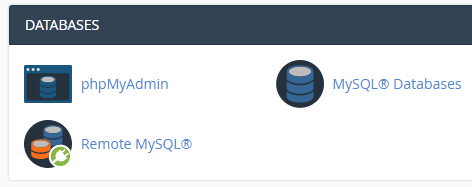
Step 1: Open MySQL Databases
Log in to your hosting cPanel and open:
MySQL Databases
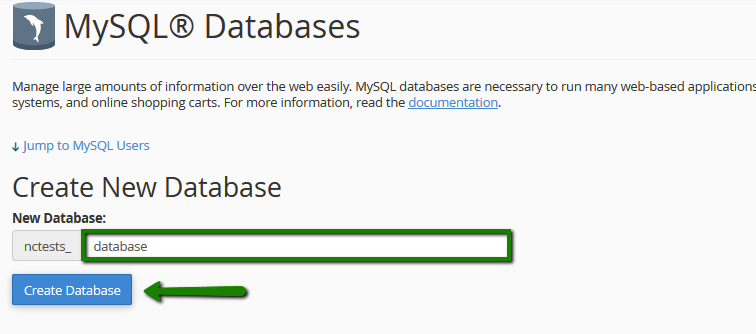
Step 2: Create a Database
Create a new MySQL database and note down its name.
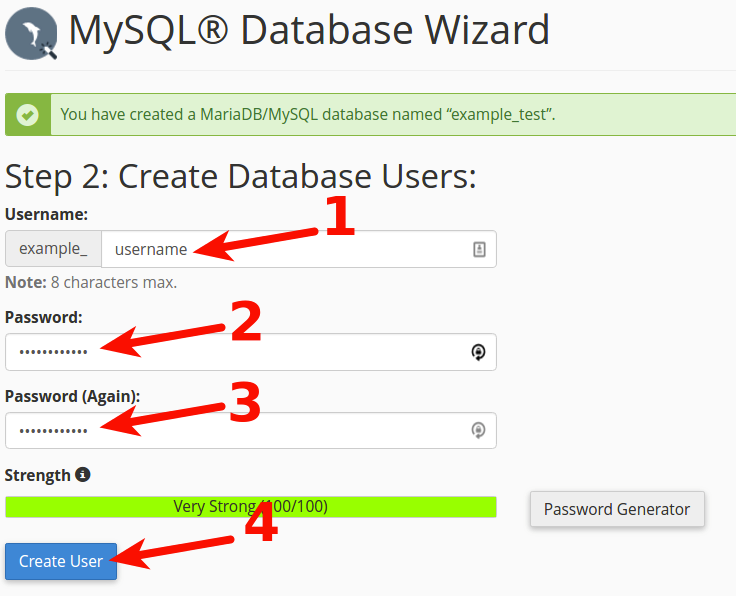
Step 3: Create a Database User
Create a new database user by entering a username and a strong password.
Save these credentials, as you'll need them during installation.
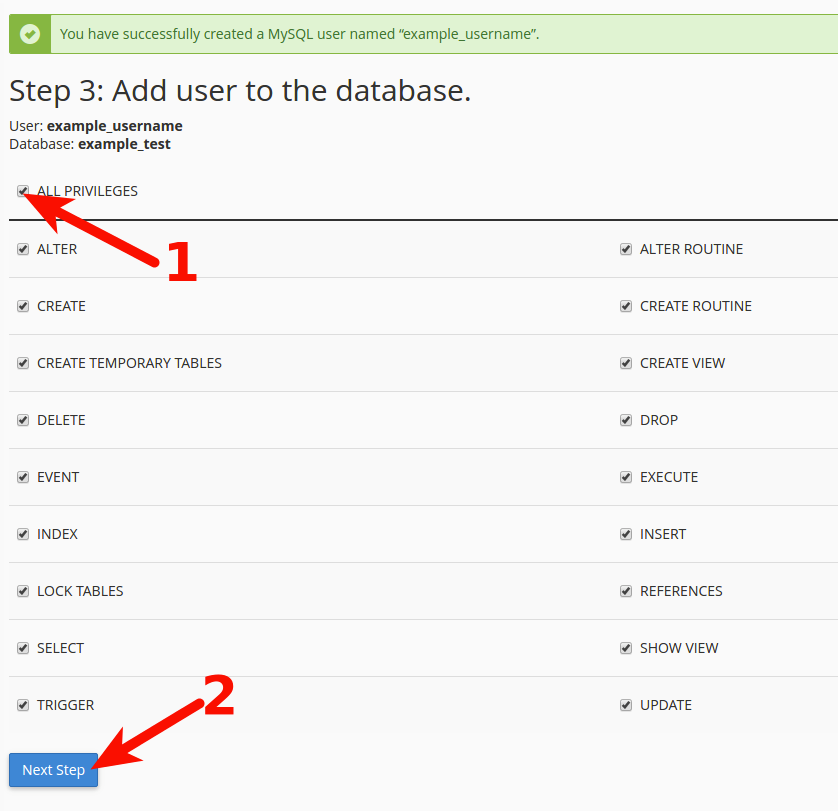
Step 4: Assign the User to the Database
Add the newly created user to your database.
Grant All Privileges to the user, then save the changes.
Tip: Keep your database name, username, and password in a safe place. These credentials are required during the installation process.