
Appearance
How to Add New Words?
Last update: 18 Apr 2025
Step 1: Log In to the Admin Panel
Log in to your Link AI Admin Panel.
Navigate to:
Settings -> Translations
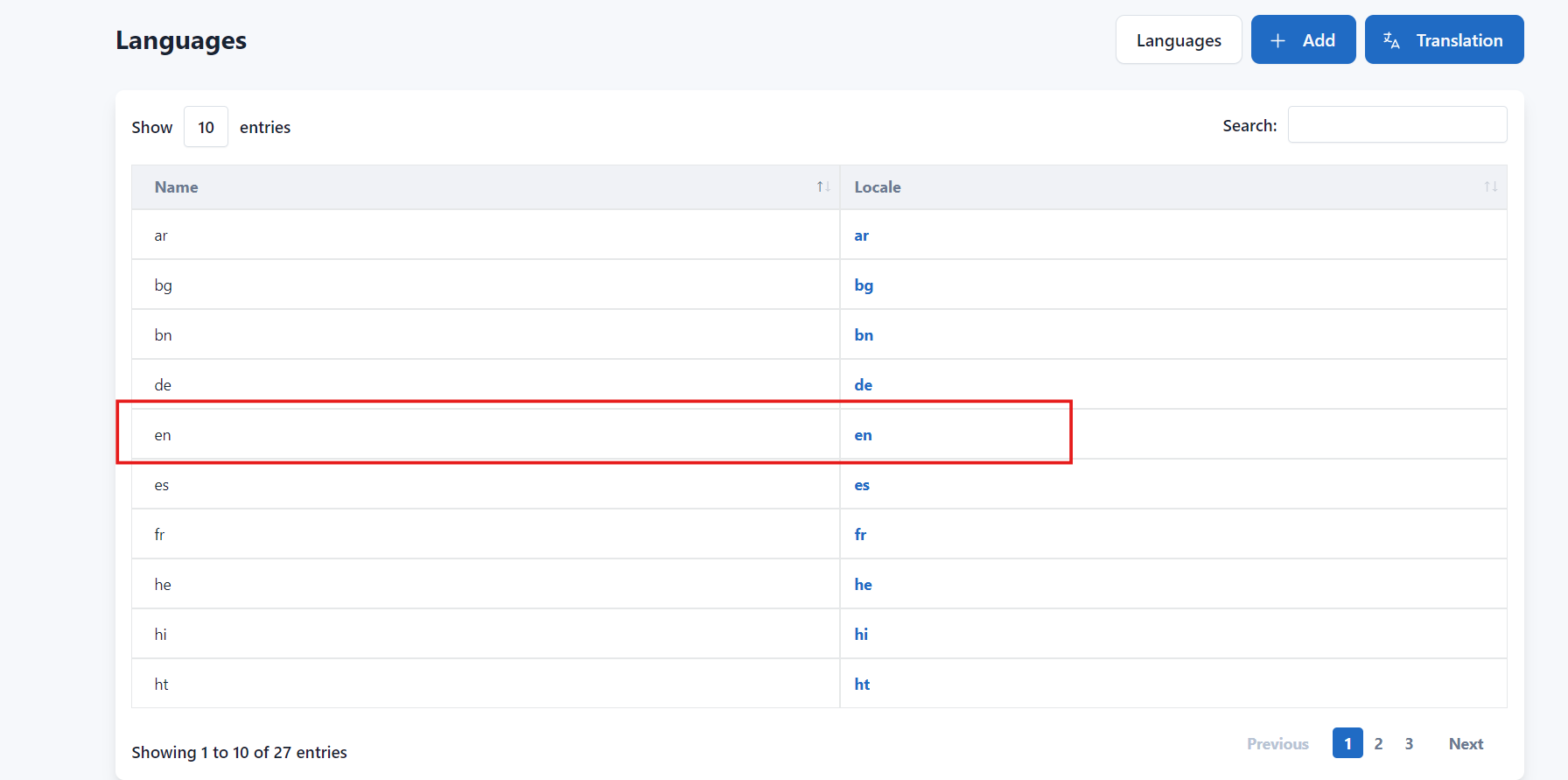
Step 2: Add New Words
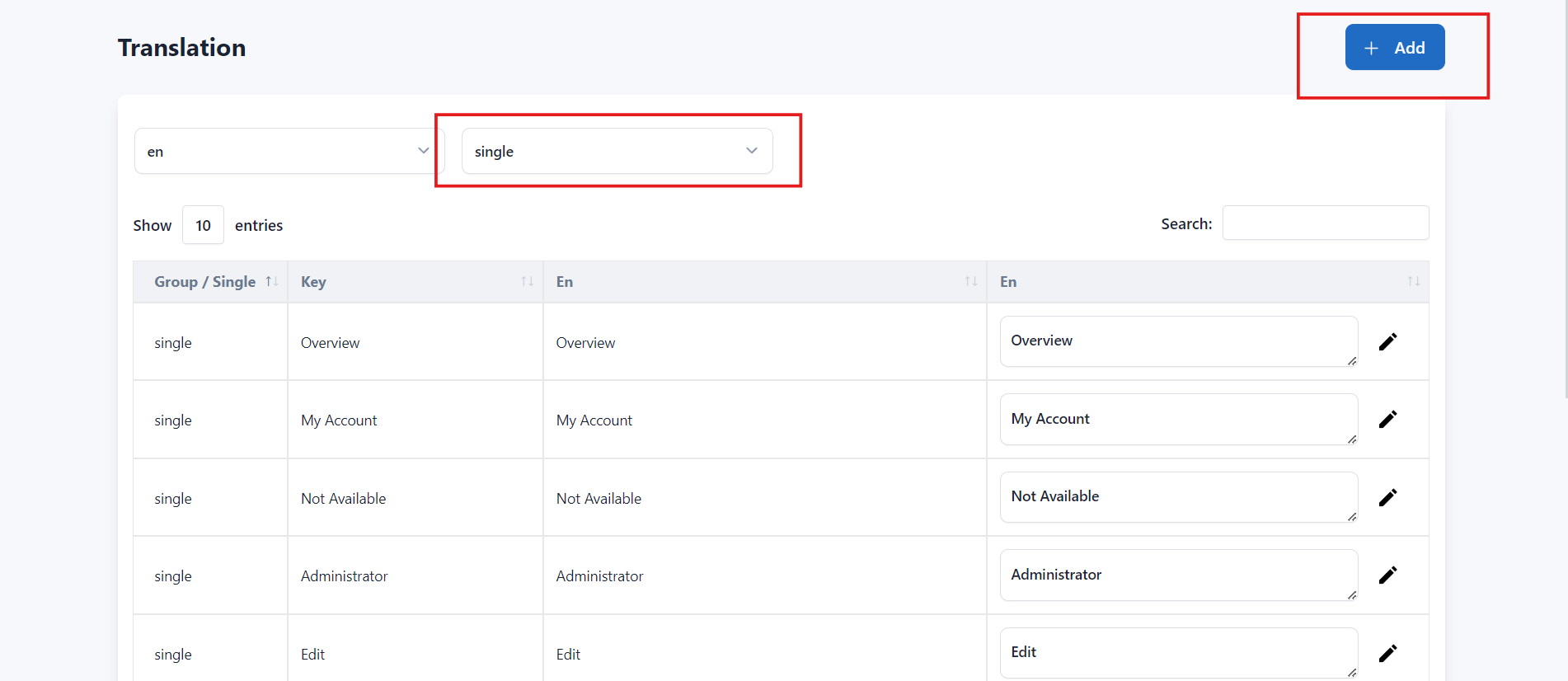
Select the Language and Translation Group for which you want to add a new word.
Click the Add button.
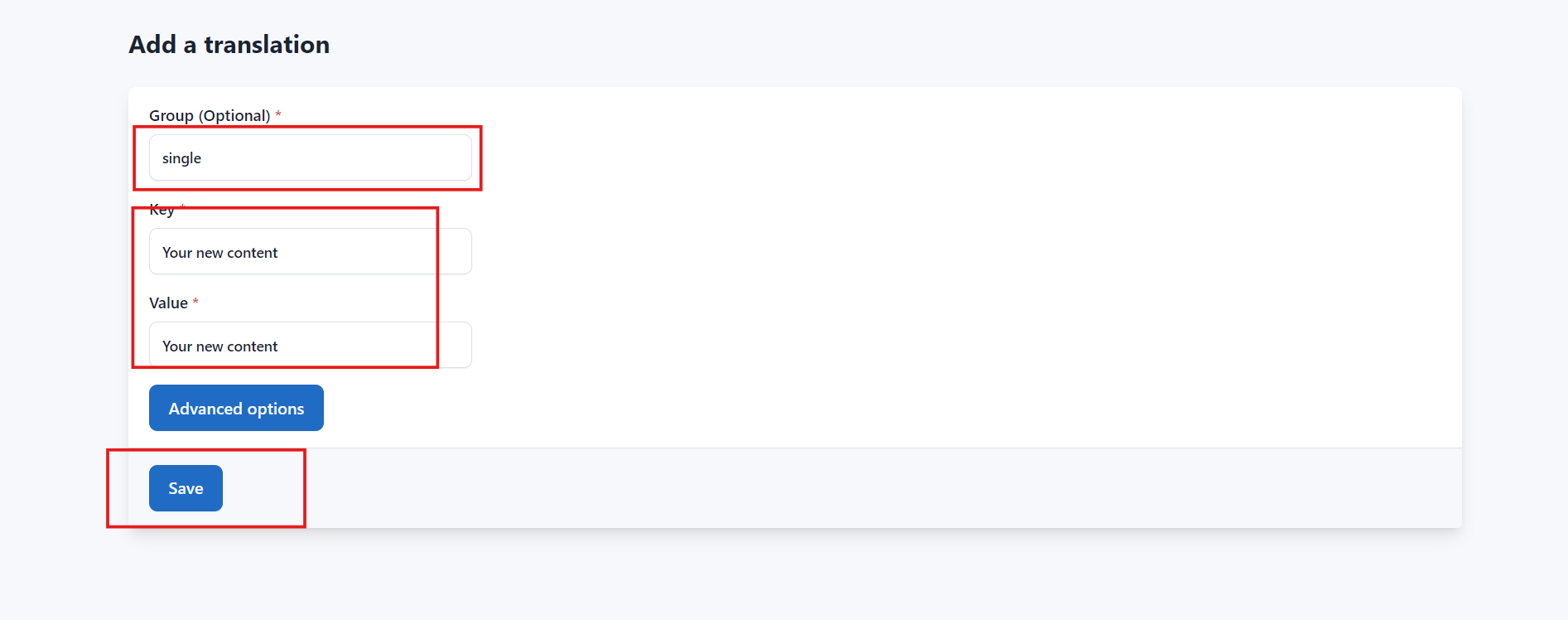
Enter the Key and its corresponding Value, then click Save to add the new translation.
Video Tutorial
Watch the video below to learn how to add and edit translation words.