
Appearance
How to Configure Mercado Pago?
Last update: 18 Apr 2025
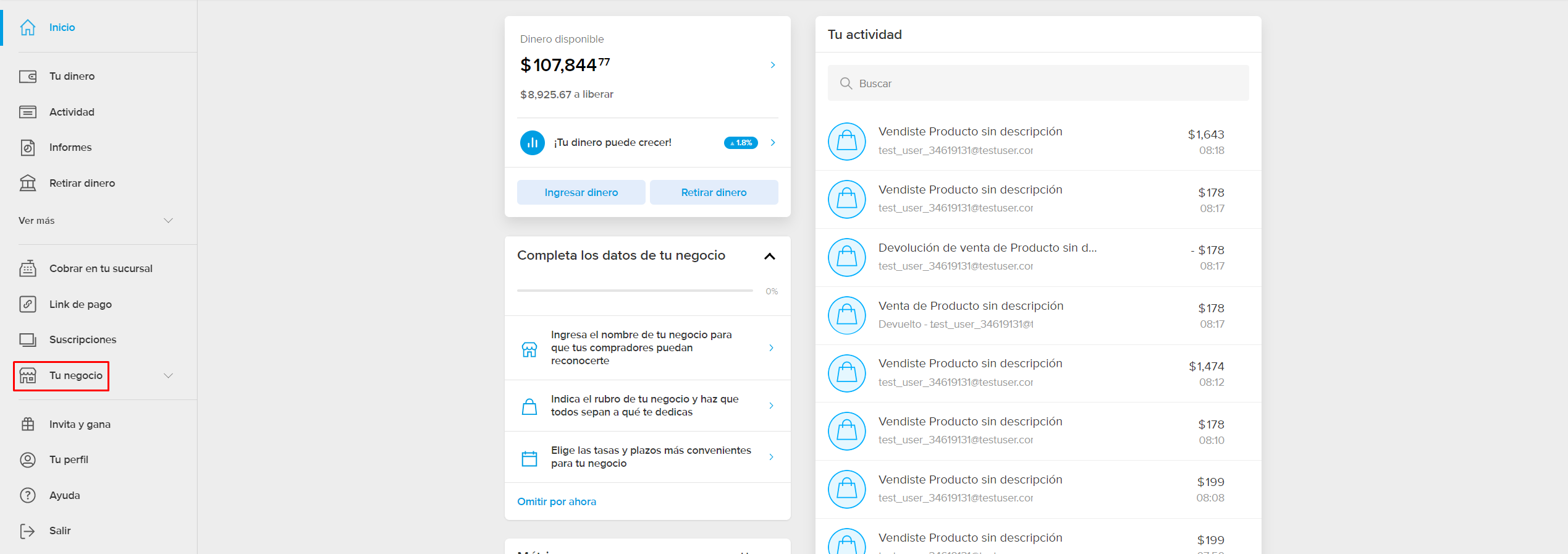
Step 1: Sign In to Mercado Pago
Go to Mercado Pago.
If you already have a Mercado Pago account, sign in. Otherwise, create a new account.
Step 2: Get the Public Key and Access Token
Log in to your Mercado Pago Developer Dashboard and copy your:
- Public Key
- Access Token

Step 3: Configure the Webhook URL
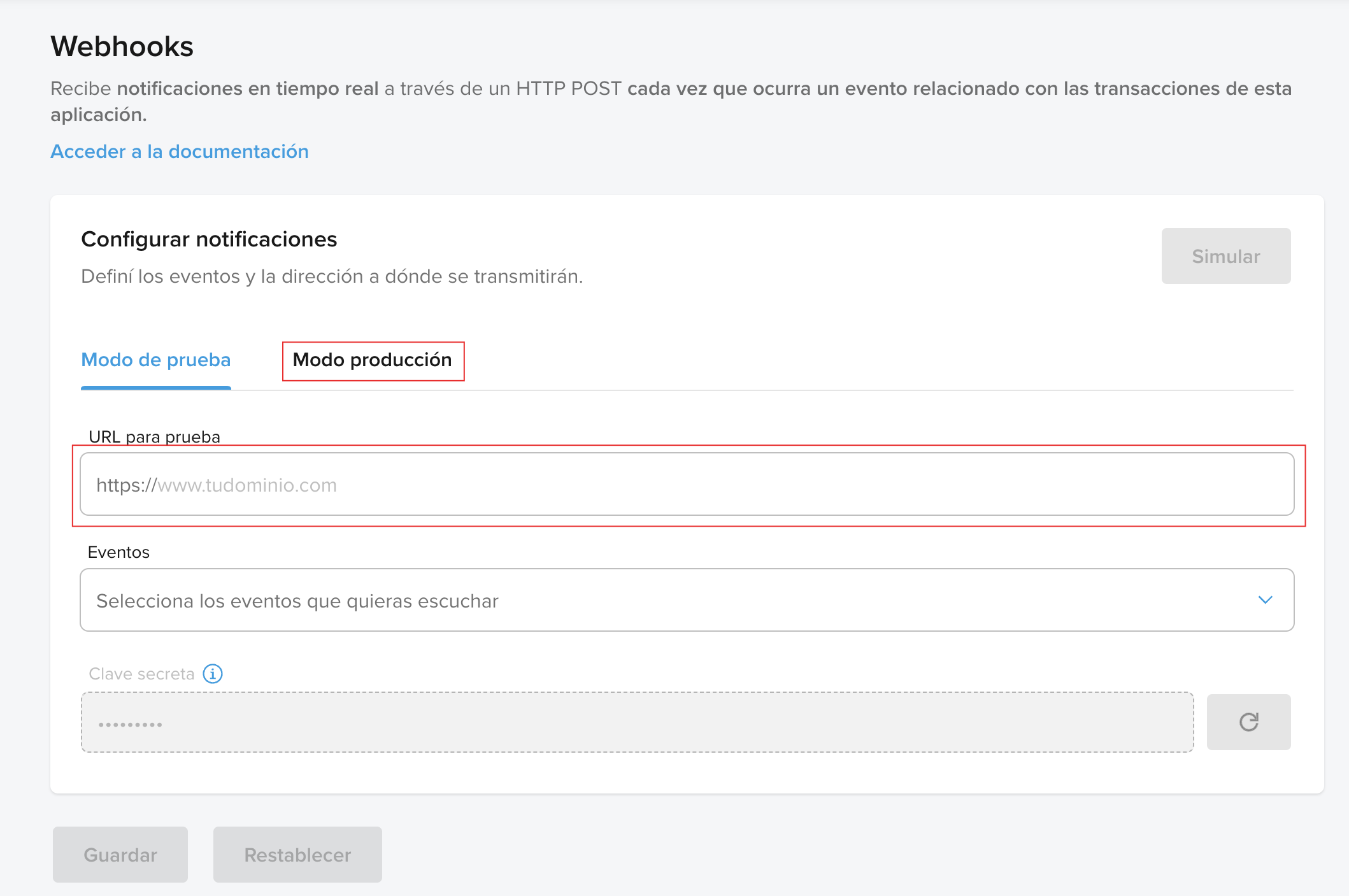
In the IPN (Instant Payment Notifications) or Webhook Notifications section, add the following callback URL:
text
https://yourdomain.com/mercadopago-callbackNote
Replace
yourdomain.comwith your actual domain name.
Select the events you want to receive notifications for, such as:
paymentmerchant_ordersubscription
Save the webhook configuration.
Step 4: Configure Mercado Pago in the Admin Panel
Log in to your Link AI Admin Panel and navigate to:
Payment Methods -> Mercado Pago -> Configure
Enter the following details:
- Public Key
- Access Token
Click Update to save the configuration.
