
Appearance
Setting Default Application Language
Last update: 18 Apr 2025
1. Open File Manager in cPanel
Open the file manager in your cPanel or any control panel, and navigate toPROJECT-ROOT/config/app.php.
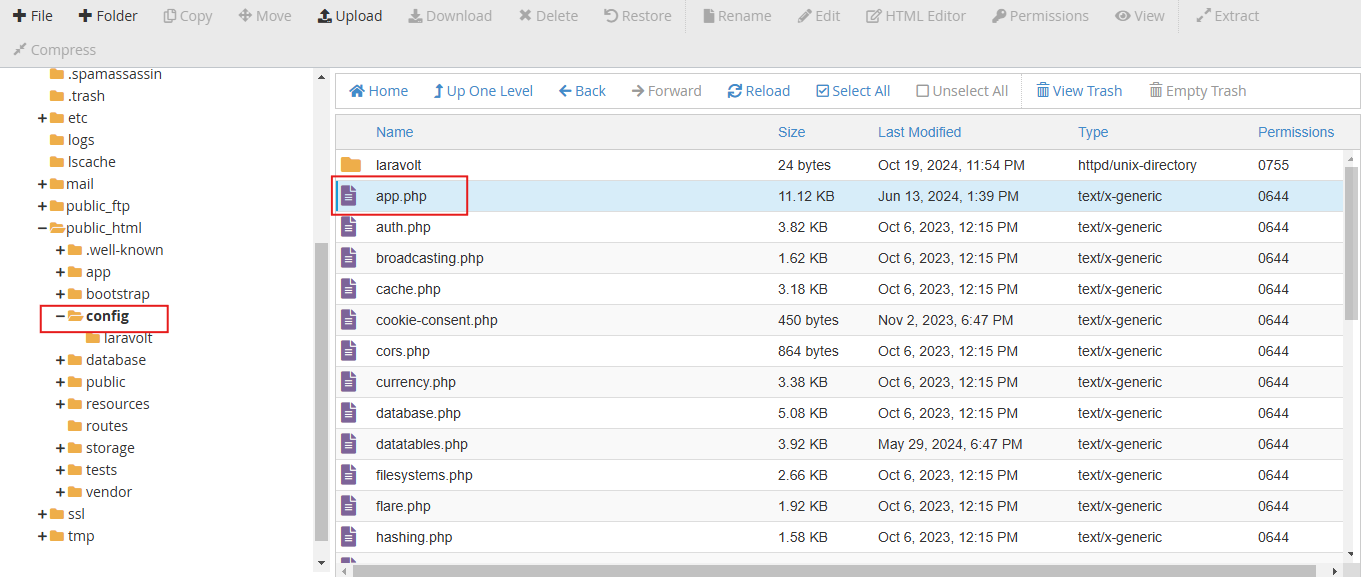
2. Choose Your Default Language
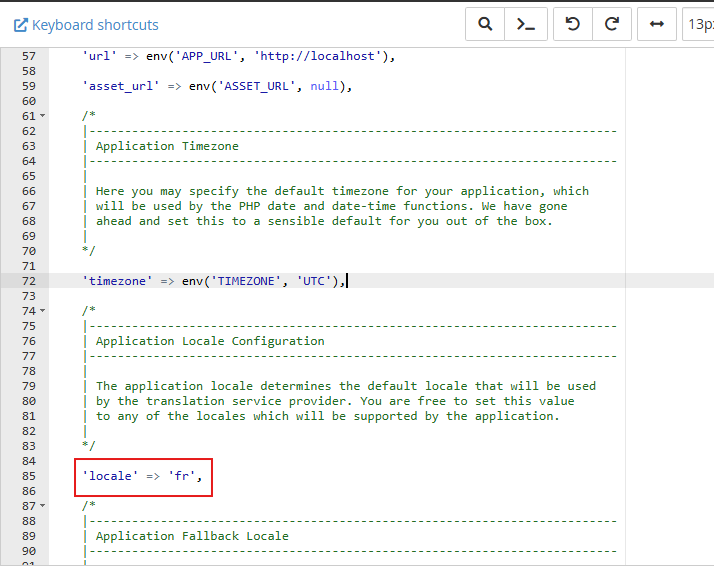
At the bottom of the file, locate this line: 'locale' => 'en',. Change it to your default language — for example, , 'locale' => 'fr' for French. You can choose according to your preference for the default language and then save the file.
for French. You can choose according to your preference for the default language and then save the file.
What is my Language code?
A language code is a standardized representation of a specific language, typically based on the ISO 639 standard, used in software applications and websites to manage and specify languages.
You can find your language code here:
https://meta.wikimedia.org/wiki/Template:List_of_language_names_ordered_by_code