
Appearance
Database Creation
Before installing Optimer, create a MySQL database and database user from your hosting control panel.
Step 1: Open MySQL Databases
Log in to your hosting cPanel and open MySQL Databases.
Here, you can create a new database, create a database user, and assign the user to the database.
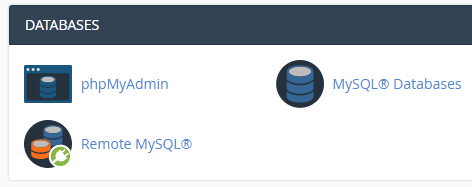
cPanel Database Section
Step 2: Create a Database
Create a new MySQL database for your Optimer installation.
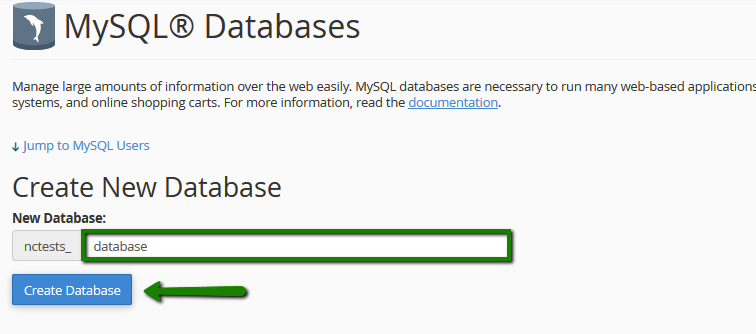
Create Database
Step 3: Create a Database User
Create a new database user and set a strong password.
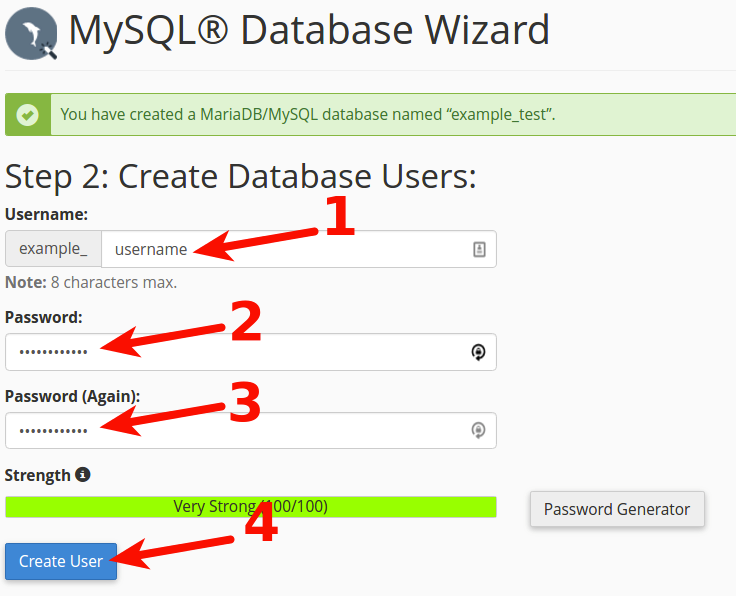
Create Database User
Step 4: Assign the User to the Database
Assign the newly created user to the database and grant All Privileges.
Save the following information, as you'll need it during installation:
- Database Name
- Database Username
- Database Password
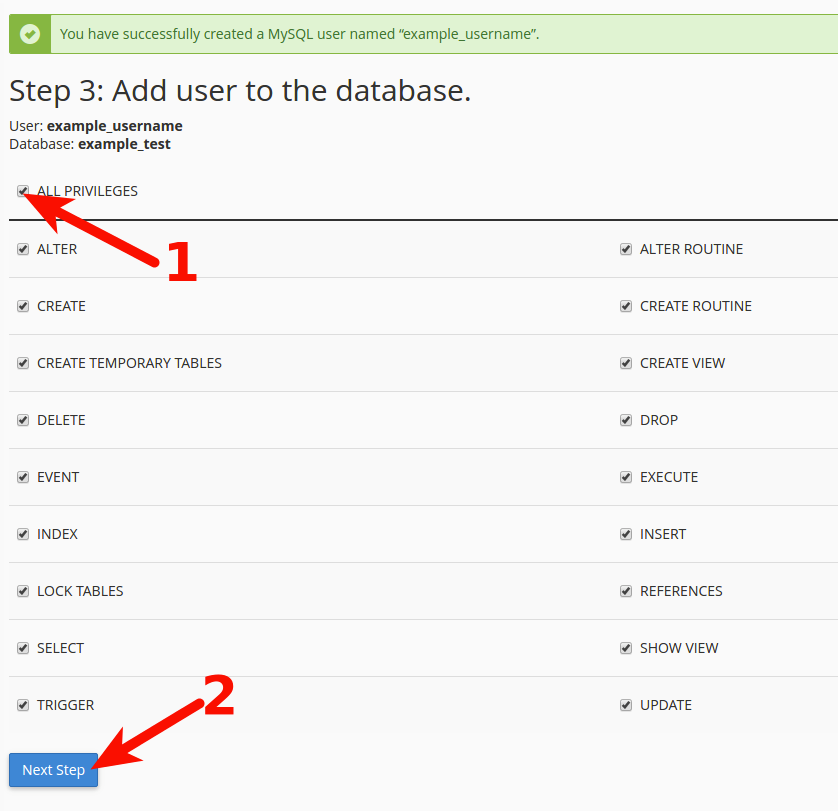
Assign User to Database and Grant All Privileges