Appearance
How to Configure Mollie
Last update: 02 Nov 2024
Follow the steps below to configure Mollie as a payment gateway in Optimer.
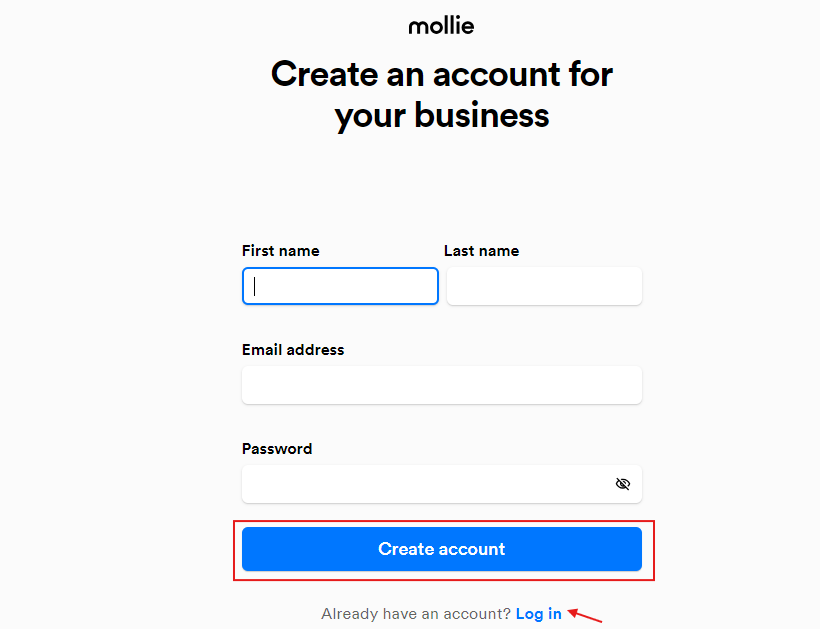
Step 1: Sign In to Mollie
Go to:
https://my.mollie.com/dashboard/signup
If you already have a Mollie account, sign in. Otherwise, create a new account.
Step 2: Get the API Key
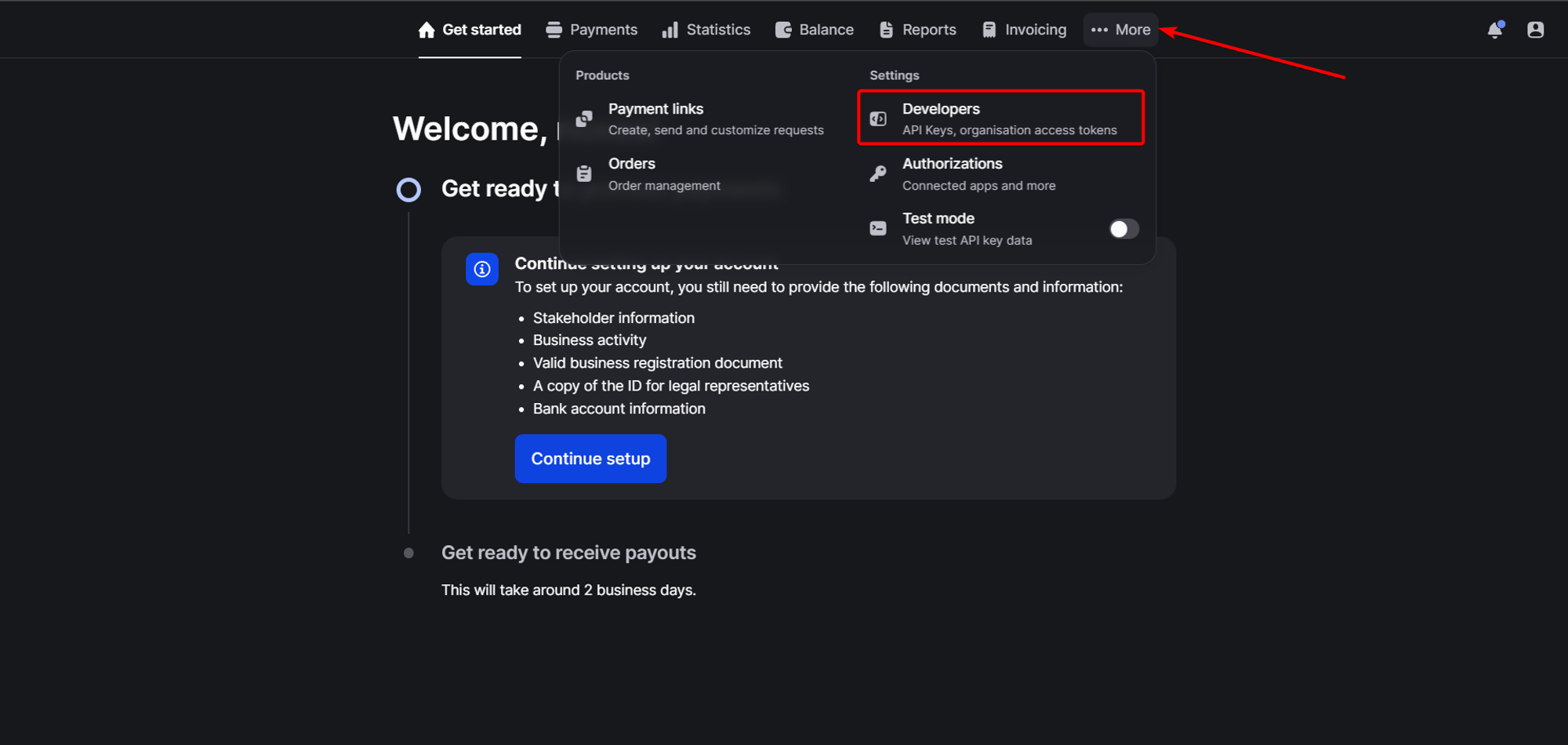
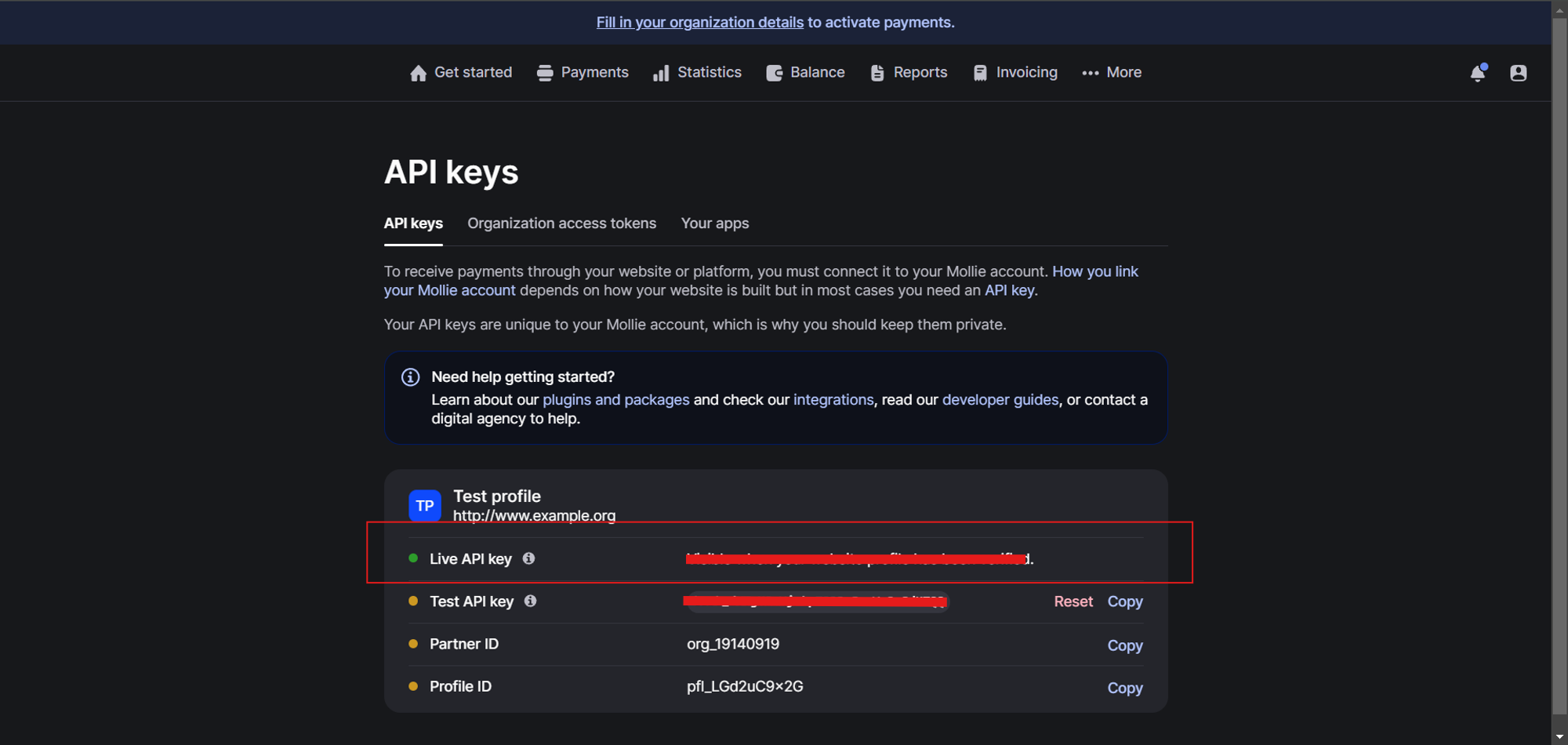
Log in to your Mollie Dashboard and navigate to:
More -> Developers
Copy your API Key.
Step 3: Configure Mollie in the Admin Panel
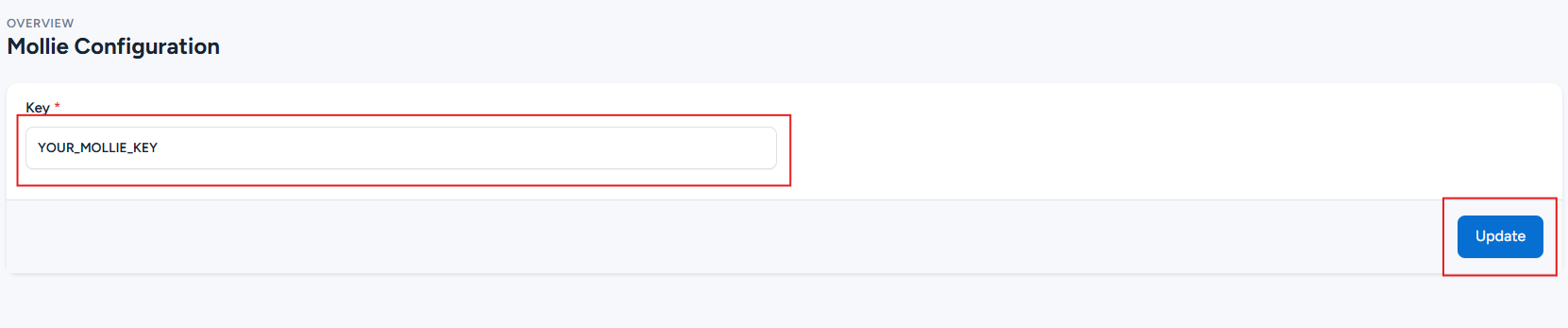
Log in to your Optimer Admin Panel and navigate to:
Payment Methods -> Mollie -> Configure
Paste your API Key into the appropriate field.
Click Update to save the configuration.