Appearance
Remove Unnecessary Languages
Last update: 02 Nov 2024
Follow the steps below to remove languages you don't want to use in Optimer.
Step 1: Open the Configuration File
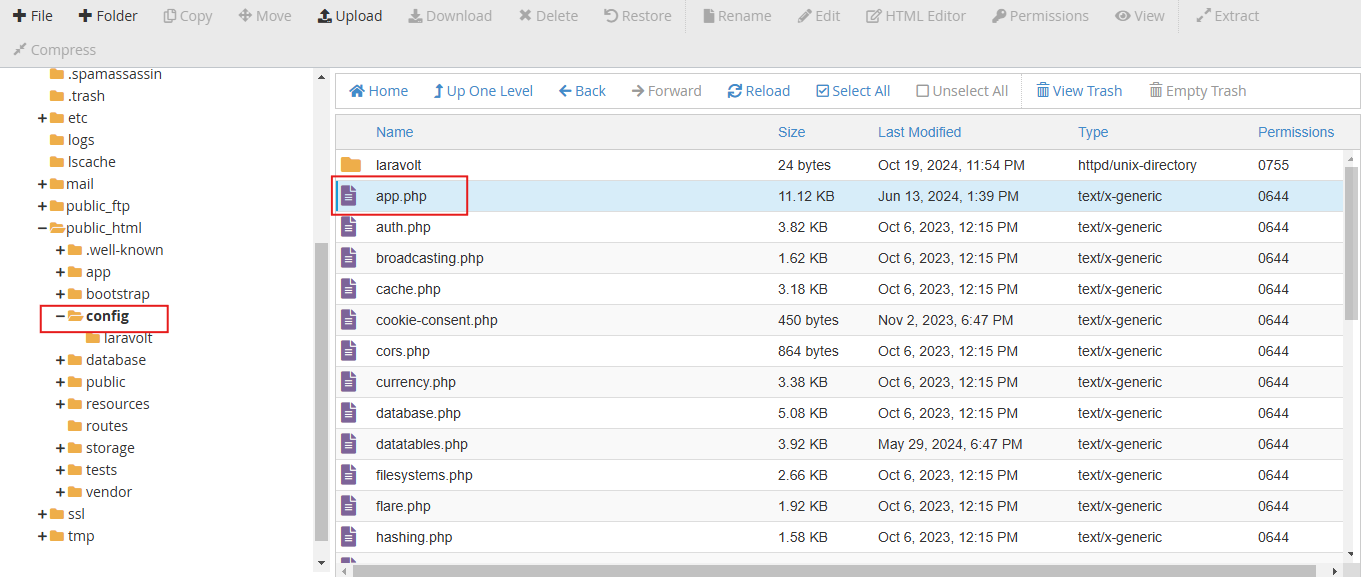
Log in to your hosting control panel and open File Manager.
Navigate to:
PROJECT-ROOT/config/app.php
Step 2: Remove Unwanted Languages
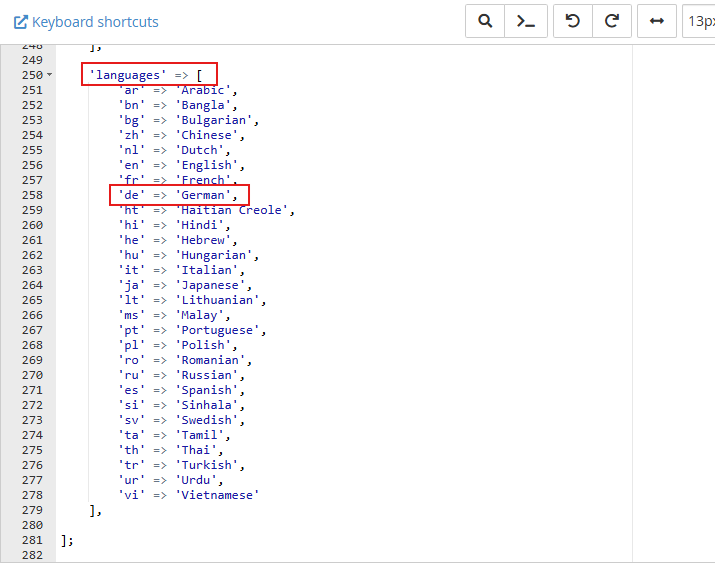
At the bottom of the app.php file, you'll find a list of all available languages.
Remove any language entries you don't need. For example:
php
'de' => 'German',Save the file after removing the unwanted language entries.