
Appearance
Database Creation
Before installing AI Tools, create a MySQL database and a database user from your hosting control panel.
Log in to your hosting cPanel, open MySQL Databases, create a new database, and then create a new database user. Assign the user to the database with All Privileges.
Keep the database name, username, and password in a safe place, as you will need them during the installation.
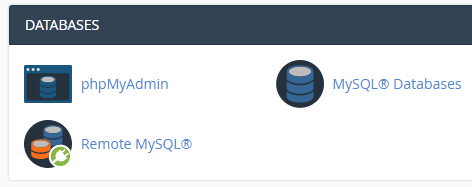
cPanel MySQL Databases
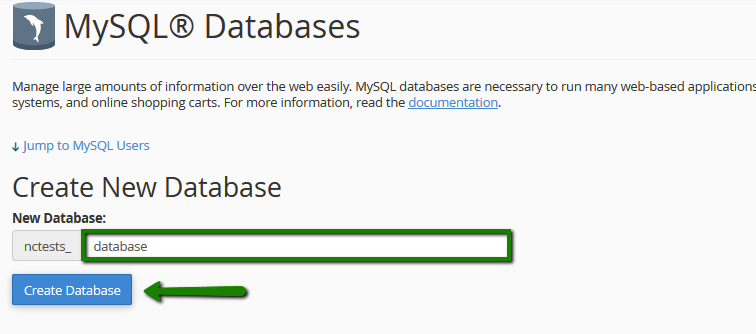
Create a New Database
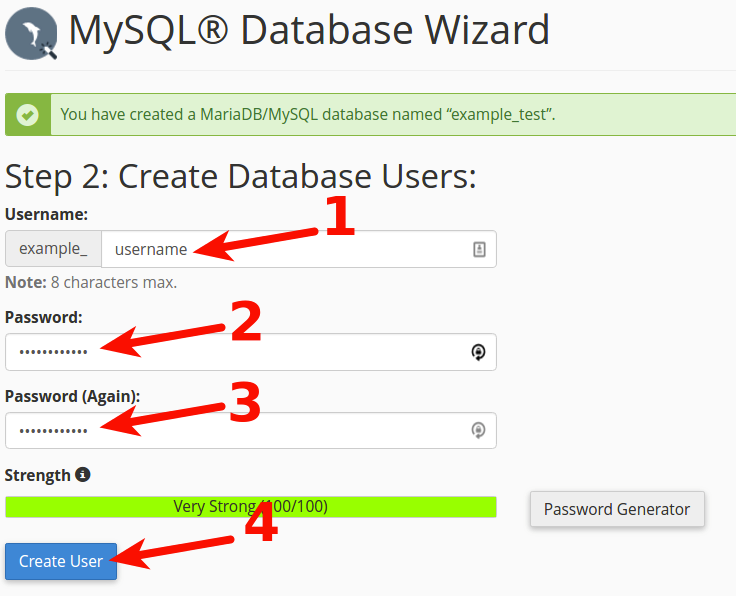
Create a New Database User
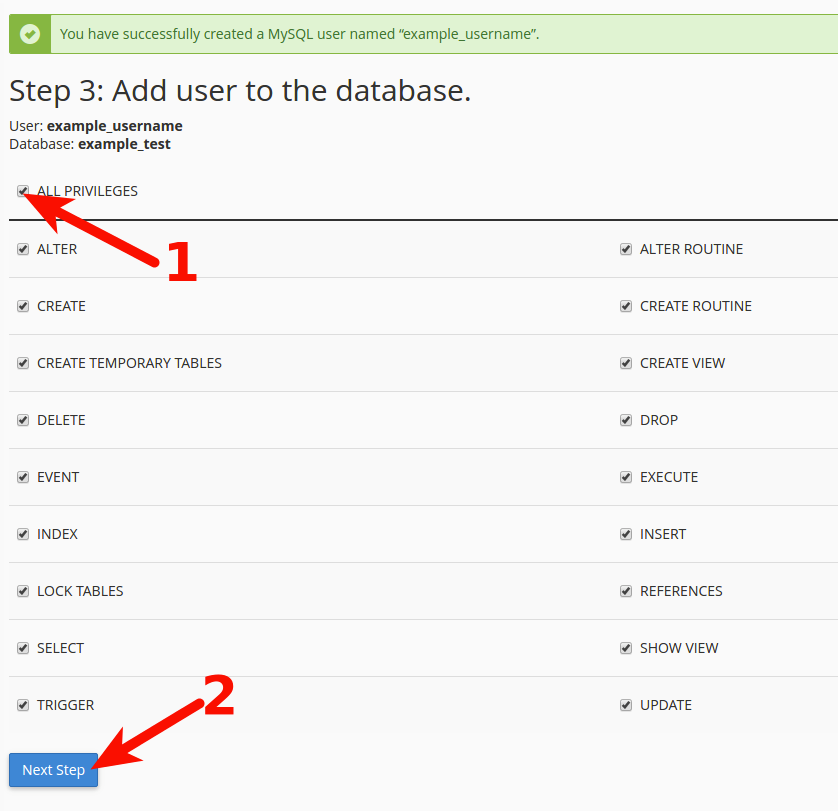
Assign the User to the Database and Grant All Privileges