
Appearance
How to Add New Words
Last update: 02 Nov 2024
Add custom translation words directly from the AI Tools admin panel without modifying any source files.
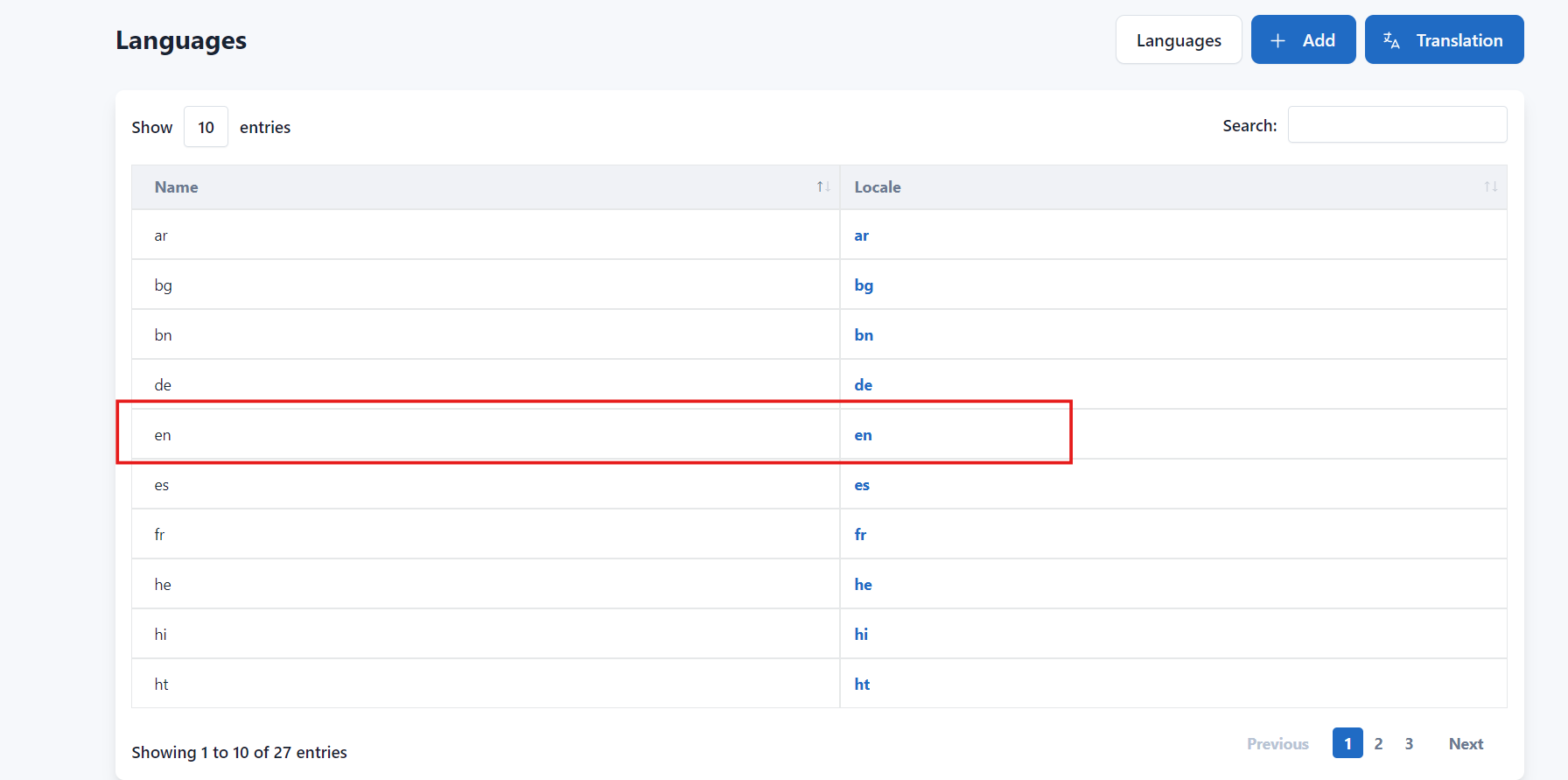
Step 1: Open the Translations Page
Log in to your AI Tools Admin Panel and navigate to:
Settings -> Translations
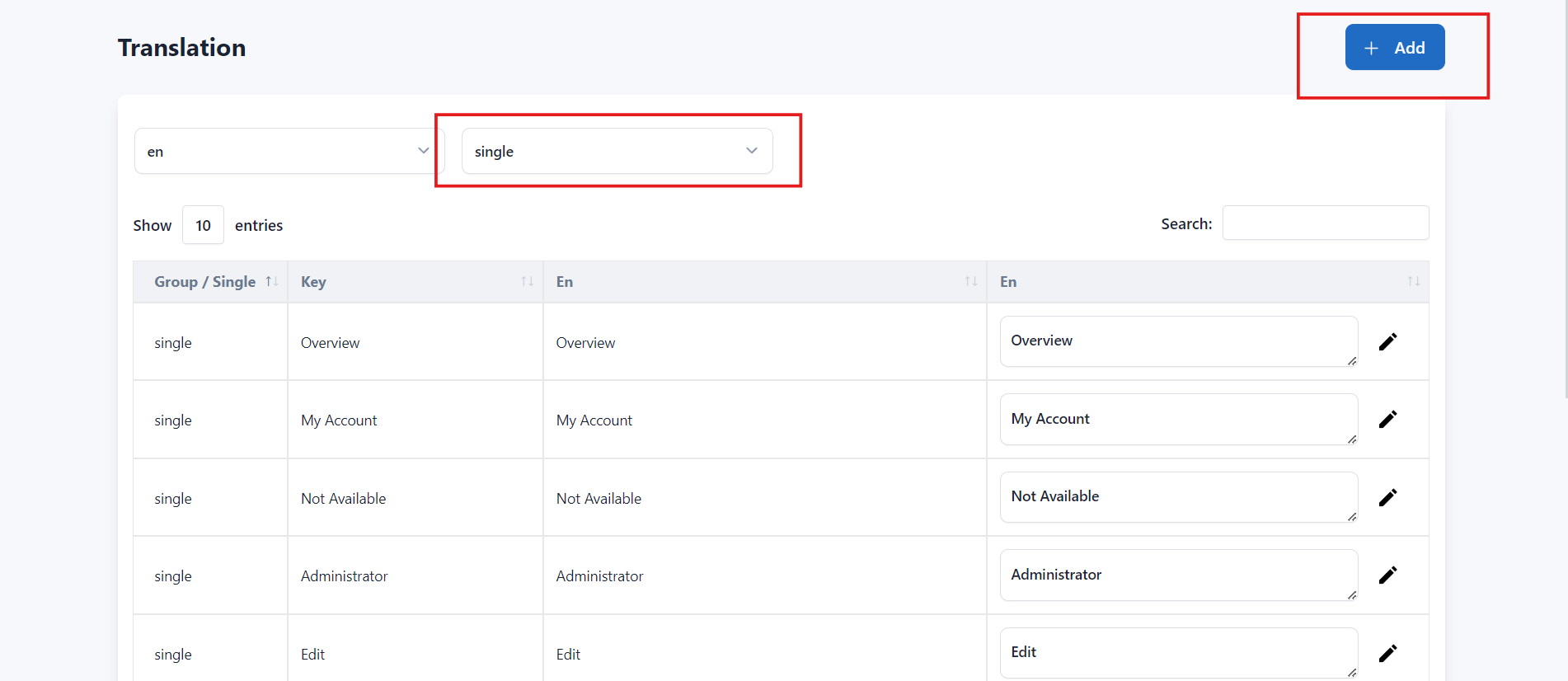
Step 2: Add a New Translation
Click Add.
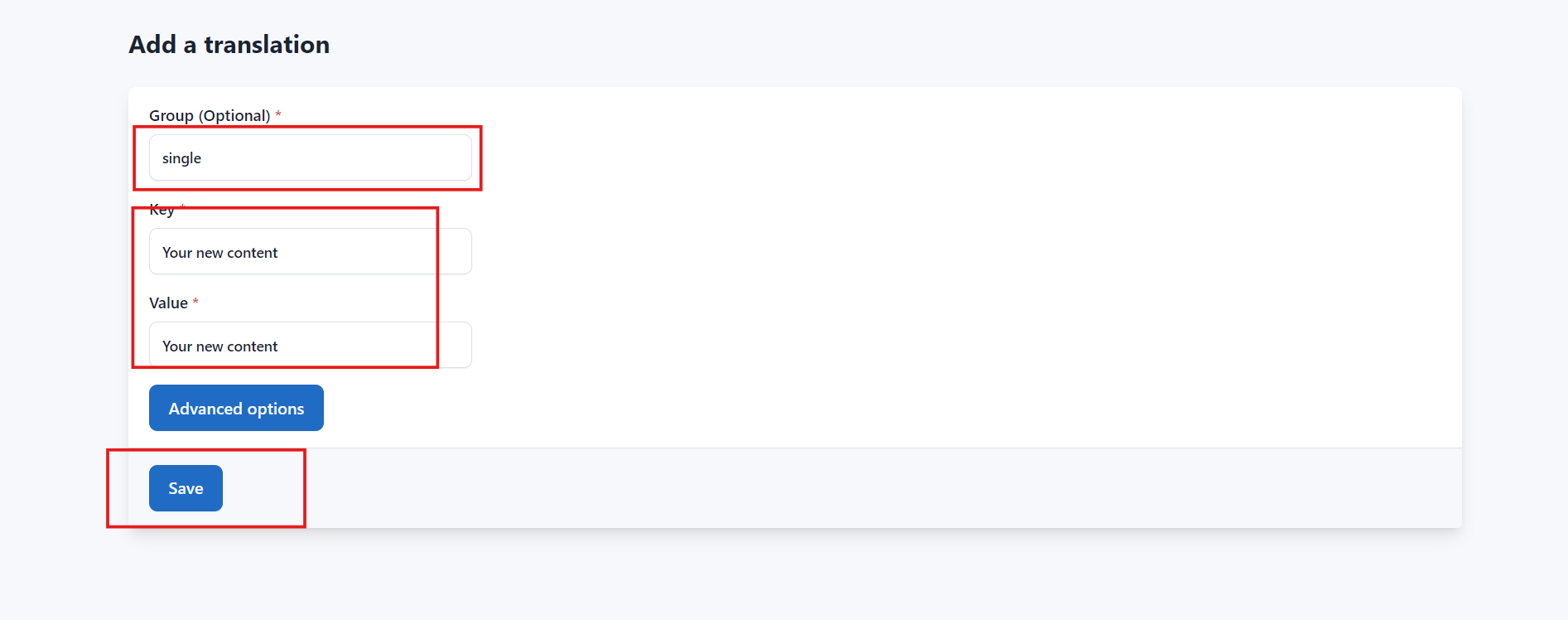
Enter the following details:
- Name
- Locale
Click Save to add the new translation.
Video Tutorial
Watch the following video to learn how to add and edit translation words.