
Appearance
Slack Notification Plugin Configuration
Follow the steps below to configure the Slack Notifications plugin and receive notifications in your Slack workspace.
Step 1: Create a Slack App
Sign in to your Slack account and open the Slack API dashboard.
If you don't already have an app, create a new Slack application.
Step 2: Generate a Webhook URL
Enable Incoming Webhooks for your Slack app.
Create a new webhook for your workspace and copy the generated Webhook URL.
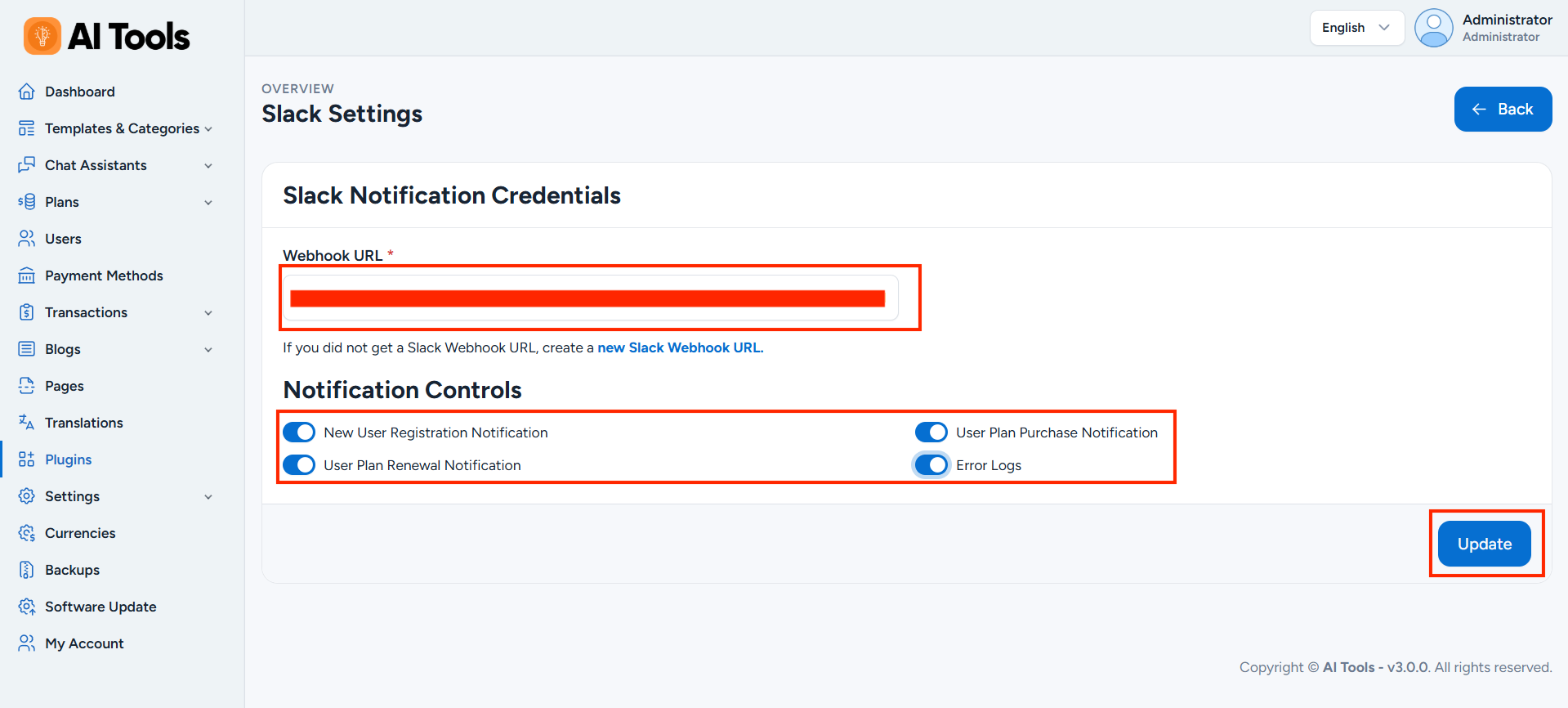
Step 3: Configure the Plugin
Log in to your AI Tools Admin Panel and navigate to:
Plugins -> Slack Notifications -> Settings
Paste the Webhook URL into the appropriate field.
Step 4: Enable Notifications
Enable the notifications you want to receive in your Slack workspace.
Step 5: Save the Configuration
Click Update to save your changes.