Appearance
Twilio SMS Notification Plugin Configuration
Follow the steps below to configure the Twilio SMS Notification plugin and enable SMS notifications.
Step 1: Get the Account SID, Auth Token, and Twilio Number
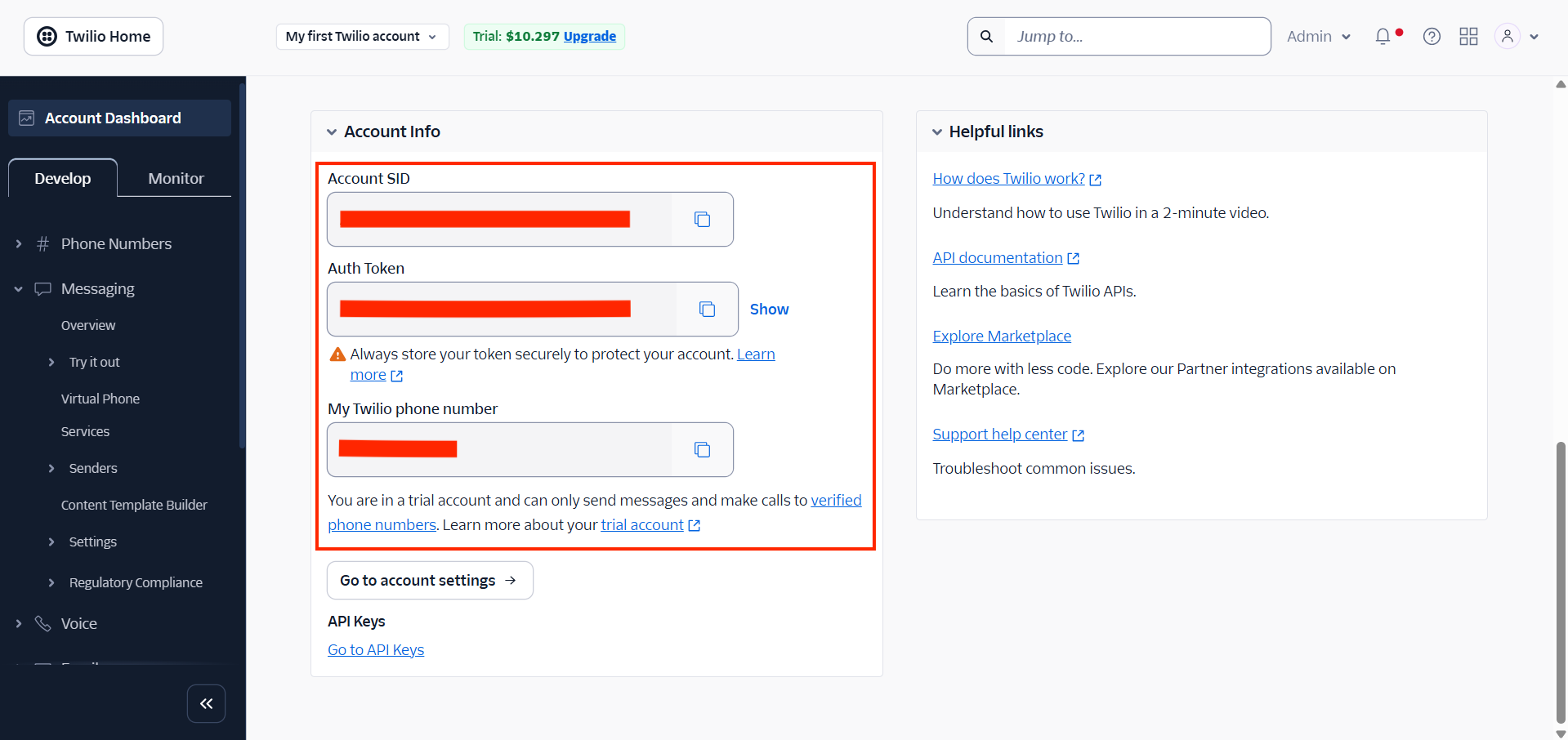
Sign in to your Twilio Console.
From the Account Info section, copy the following credentials:
- Account SID
- Auth Token
- Twilio Number
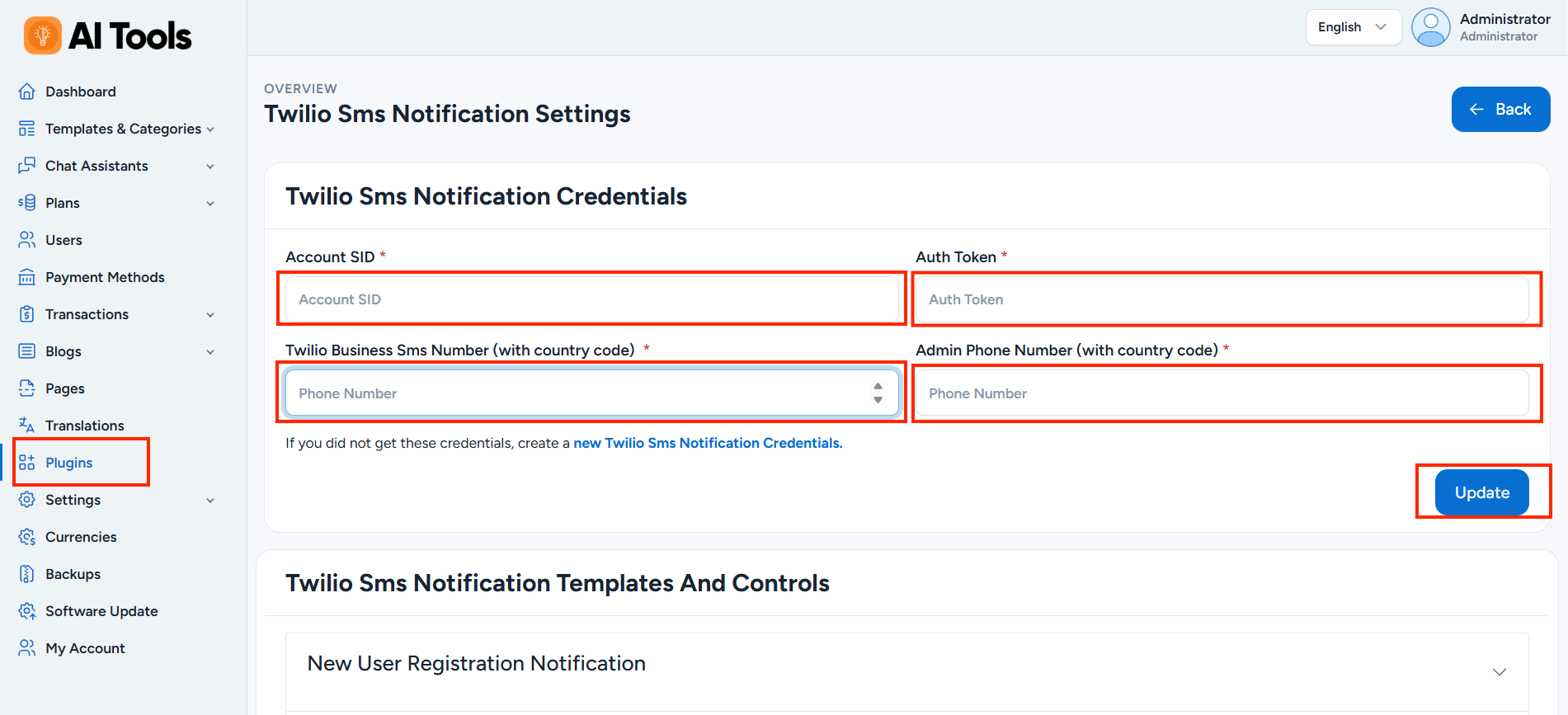
Log in to your AI Tools Admin Panel and navigate to the Twilio SMS Notification plugin settings.
Paste these credentials into the corresponding fields.
Step 2: Create a Notification Template
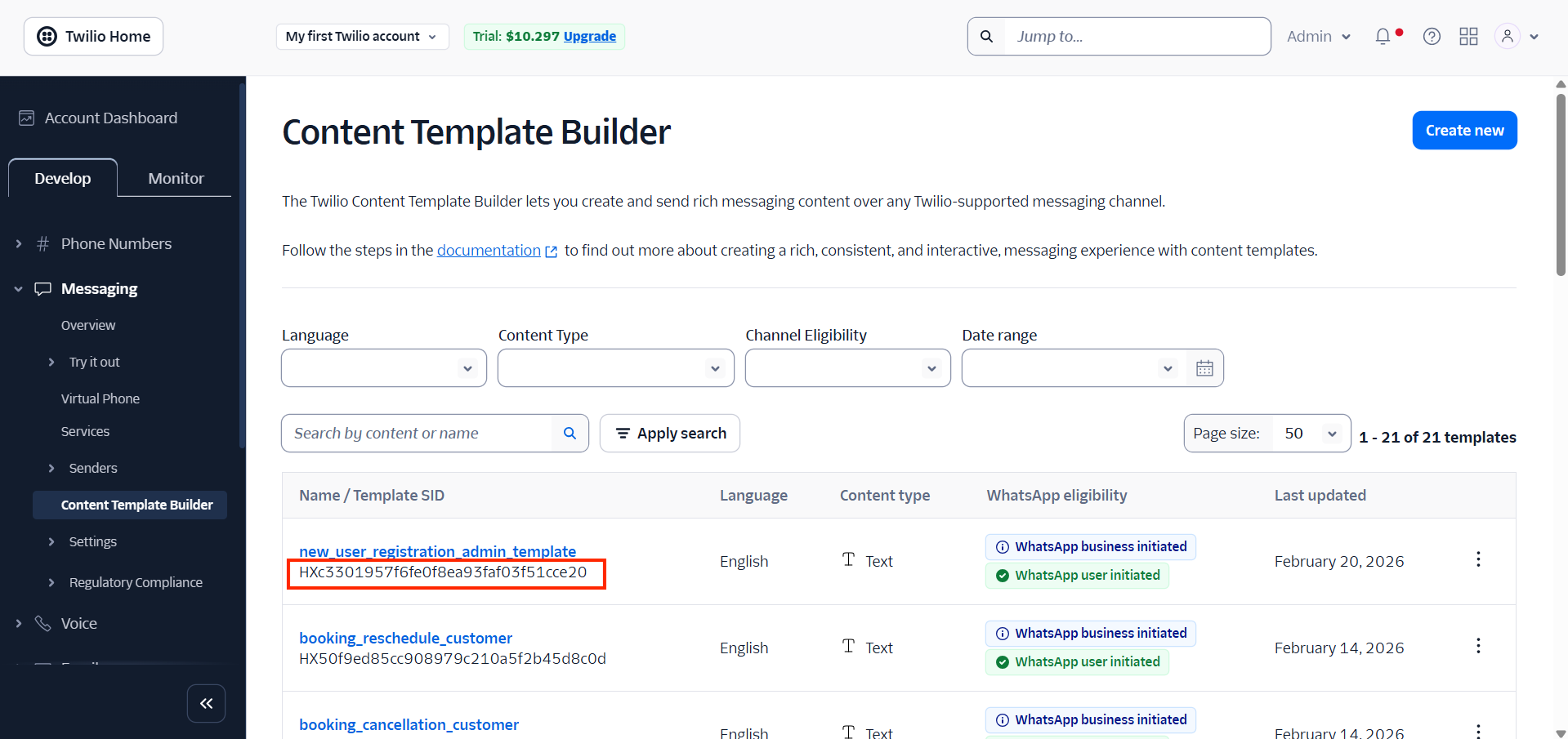
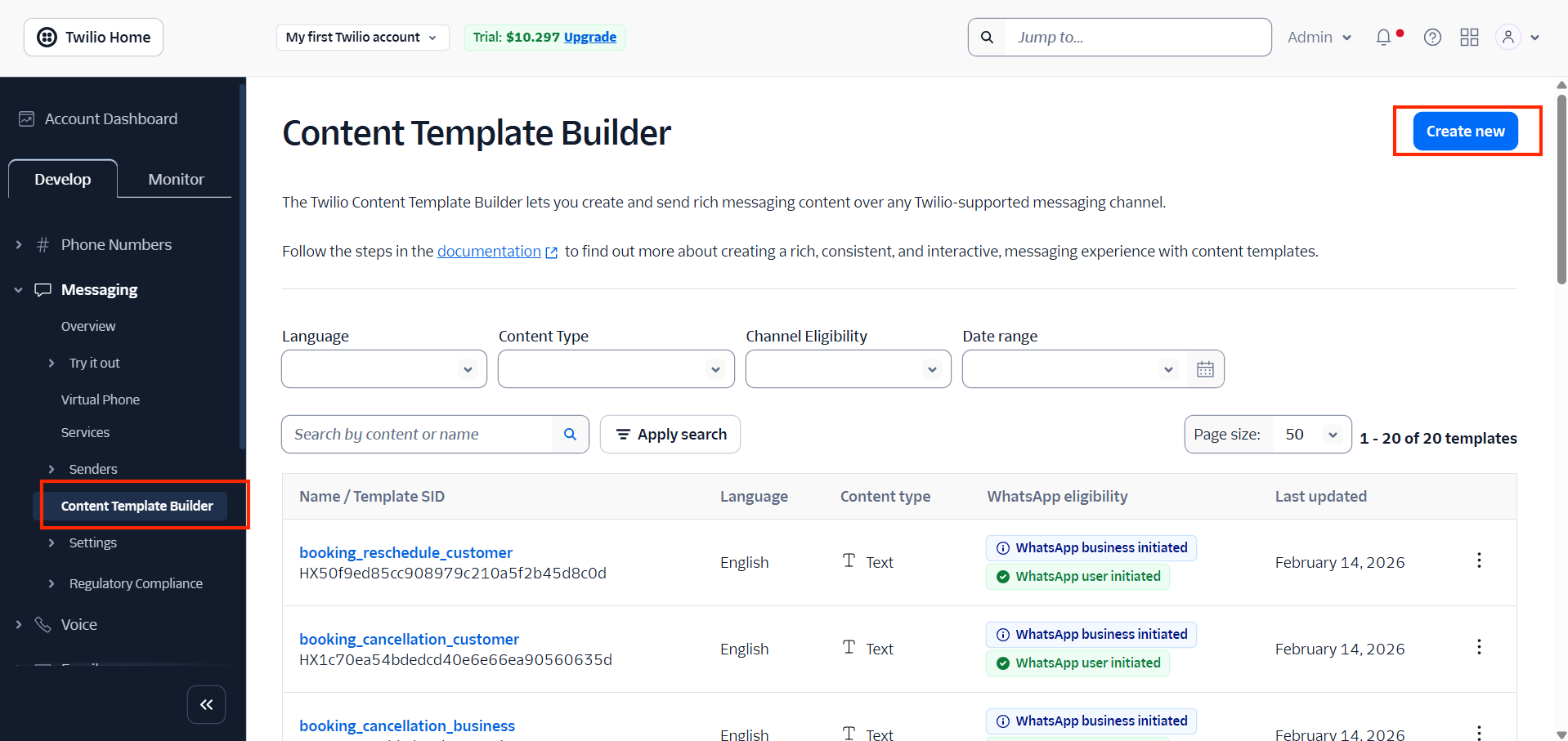
In your Twilio Console, open the Content Template Builder.
Click Create New.
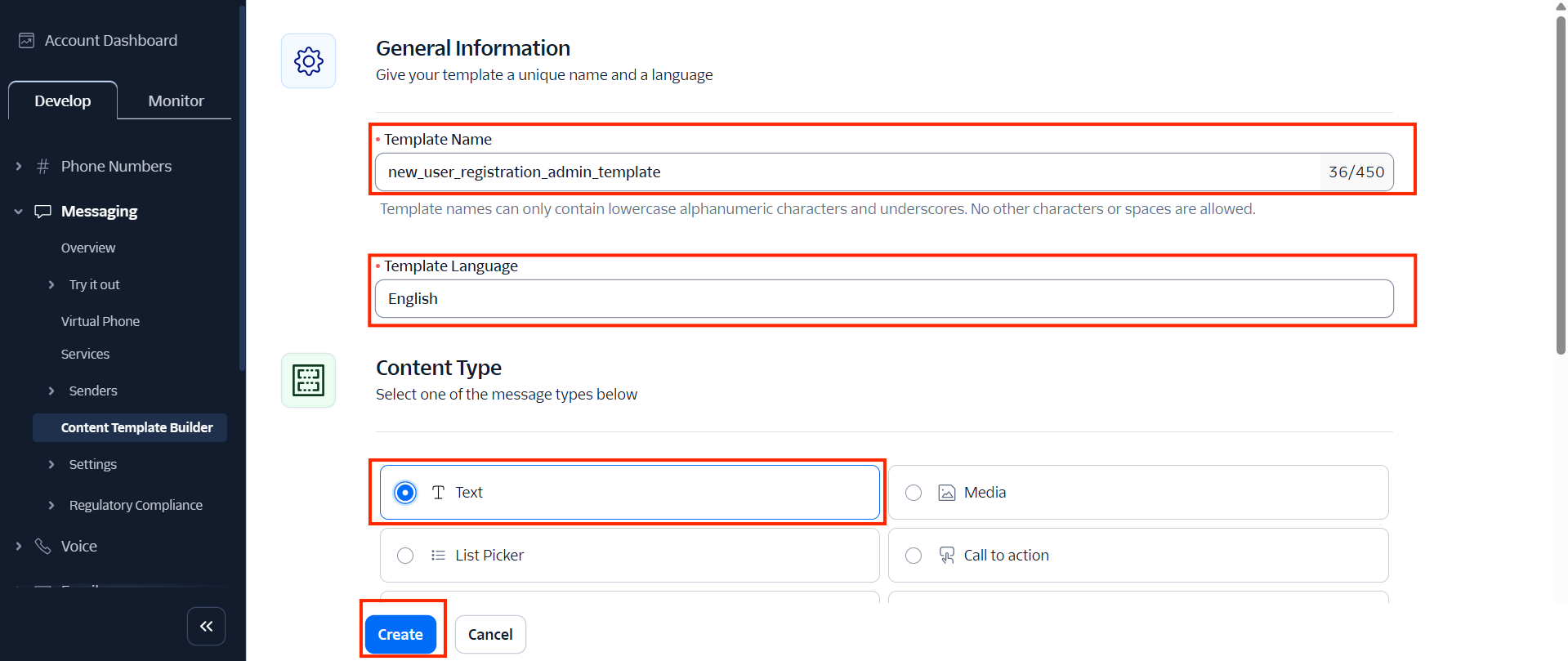
Enter the following details:
- Template Name
- Language
- Content Type: Text
Click Create.
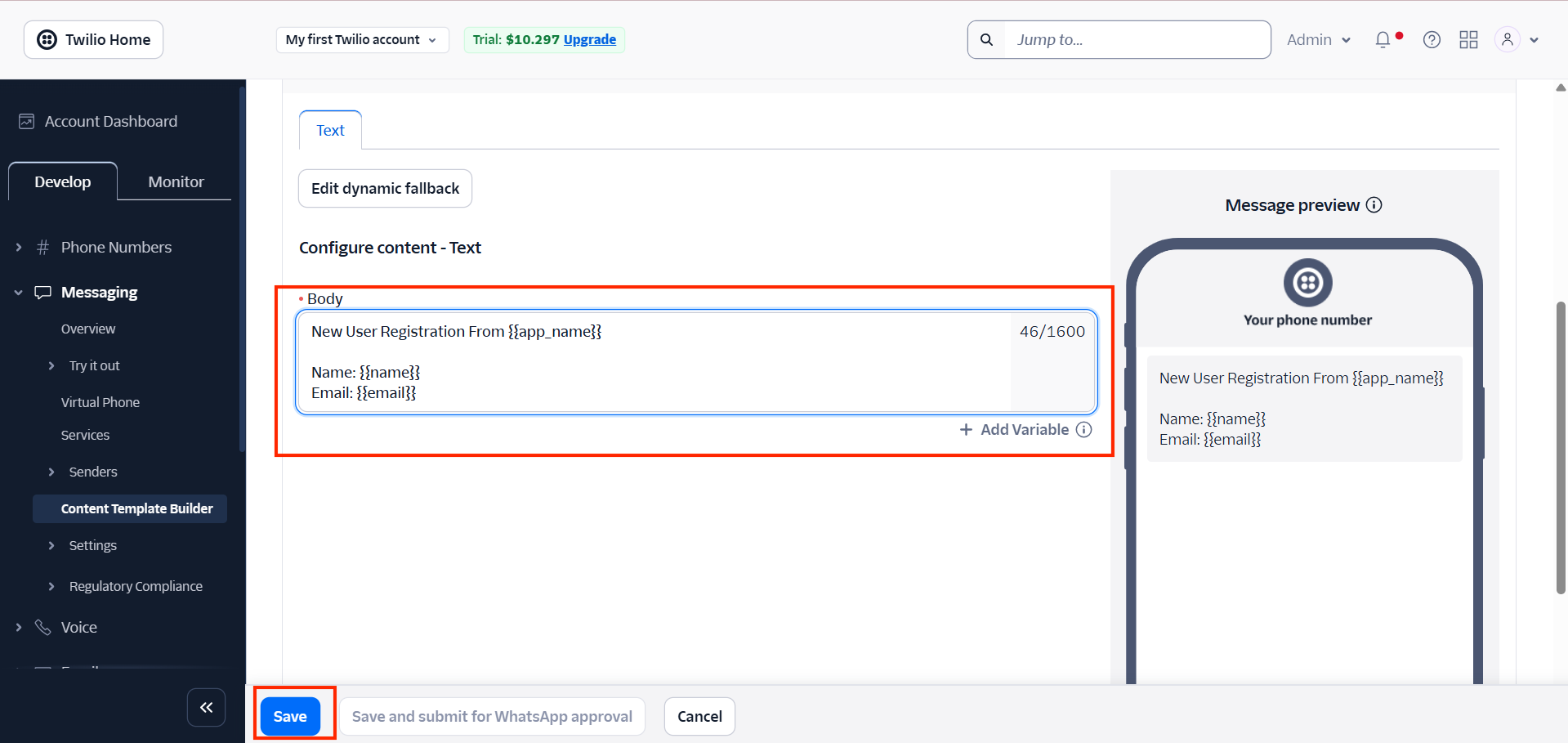
Add your SMS message content and any required variables.
Click Save.
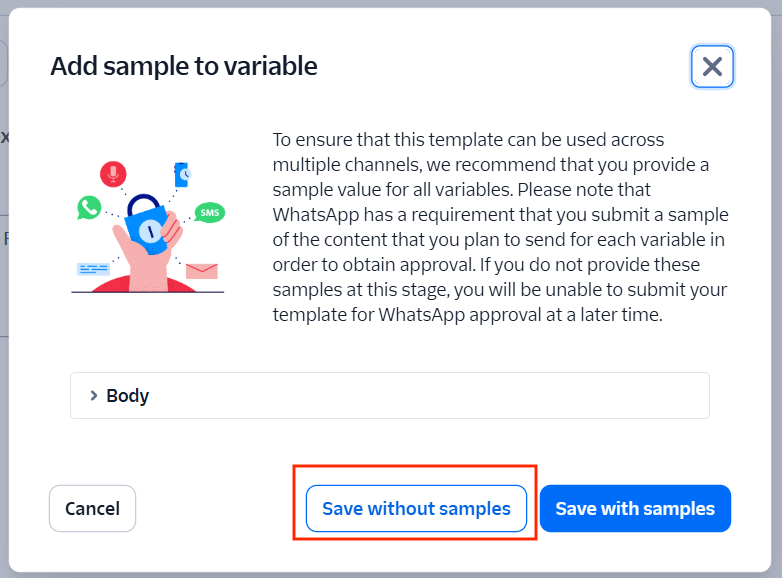
Click Save without samples.
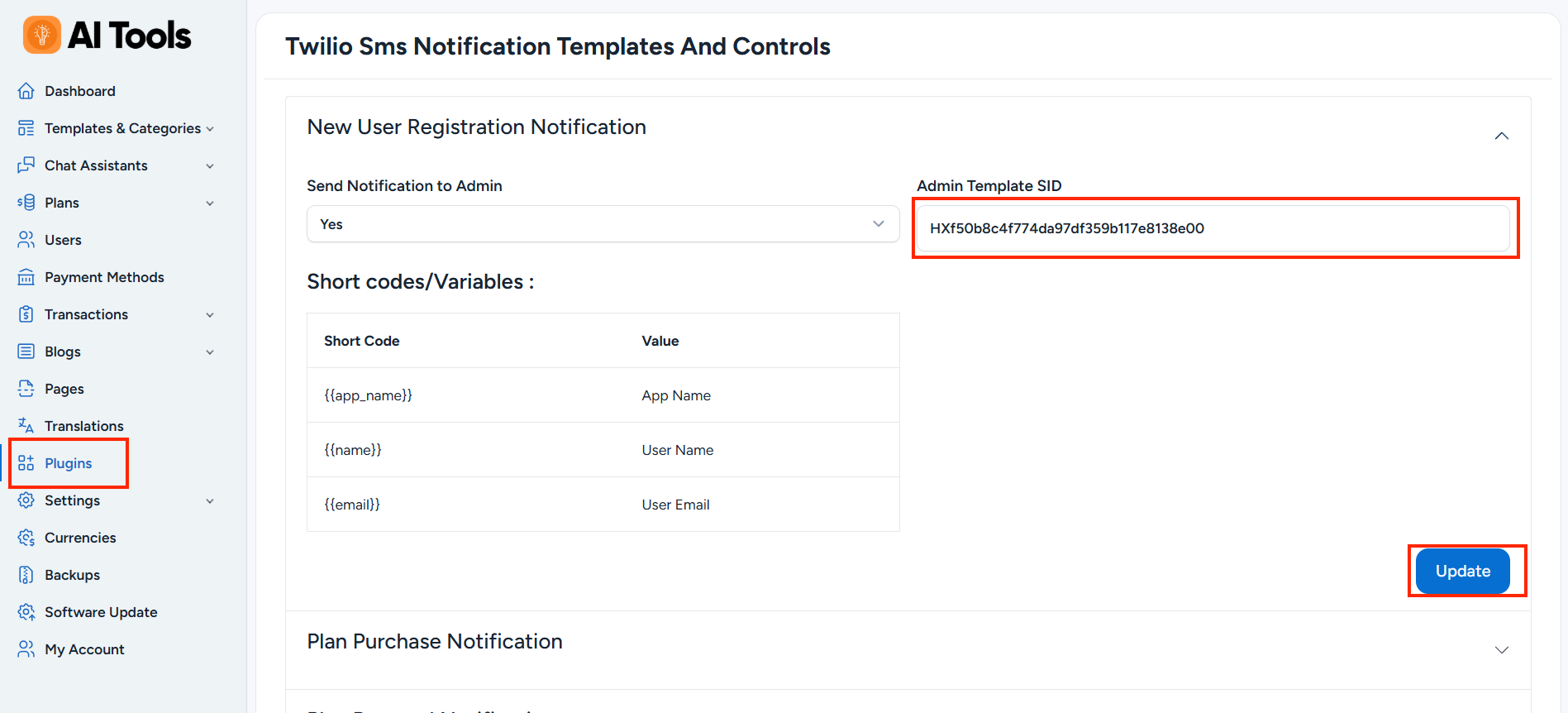
Copy the generated Template SID.
Paste the Template SID into the Twilio SMS Notification plugin settings and click Update to save the configuration.