
Appearance
Setting Default Application Language
Last update: 05/Nov/2024
1. Open File Manager in cPanel
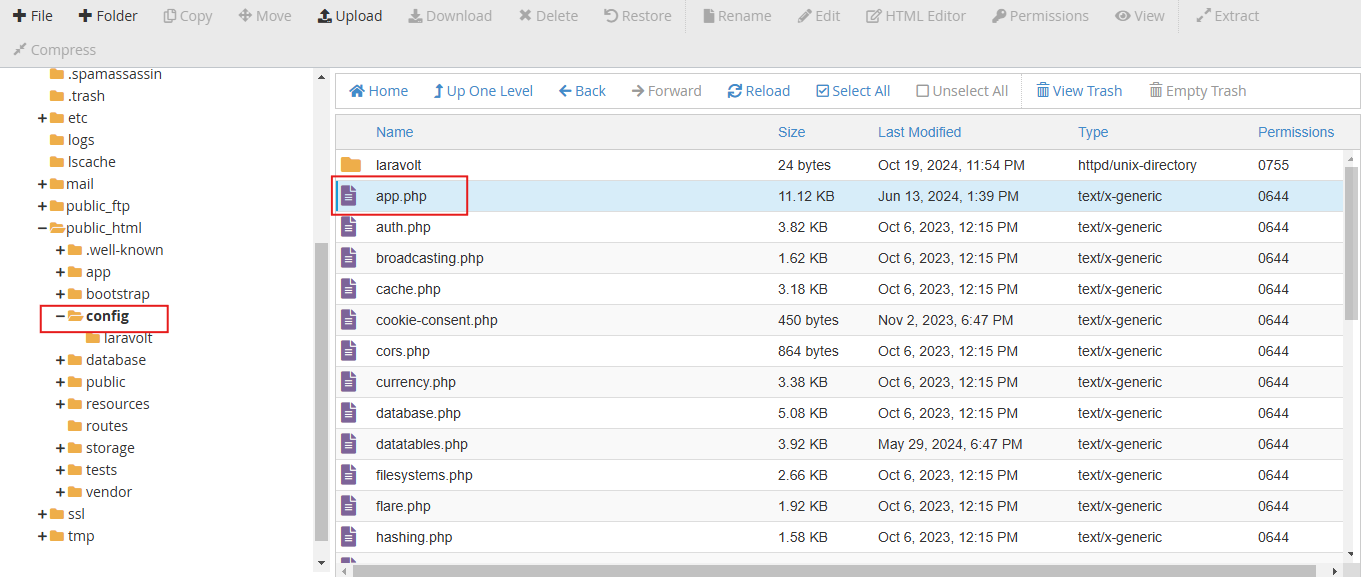
Open the file manager in your cPanel or any control panel, and navigate to: PROJECT-ROOT/config/app.php
2. Choose Your Default Language
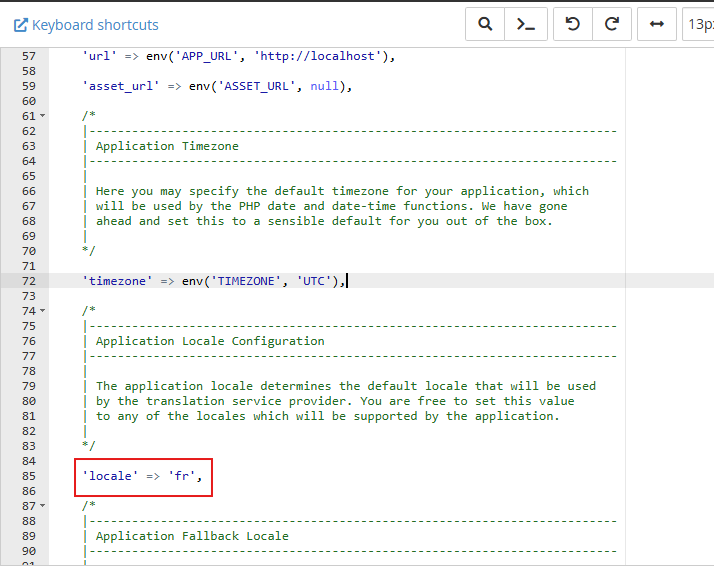
At the bottom of the file, locate this line: 'locale' => 'en',. Change it to your default language — for example, 'locale' => 'fr' for French. You can choose according to your preference for the default language and then save the file.
What is my Language code?
A language code is a standardized representation of a specific language, typically based on the ISO 639 standard, used in software applications and websites to manage and specify languages.
You can find your language code here:
https://meta.wikimedia.org/wiki/Template:List_of_language_names_ordered_by_code