Appearance
How to add Custom words?
Last update: 31 July 2026
Add your new words
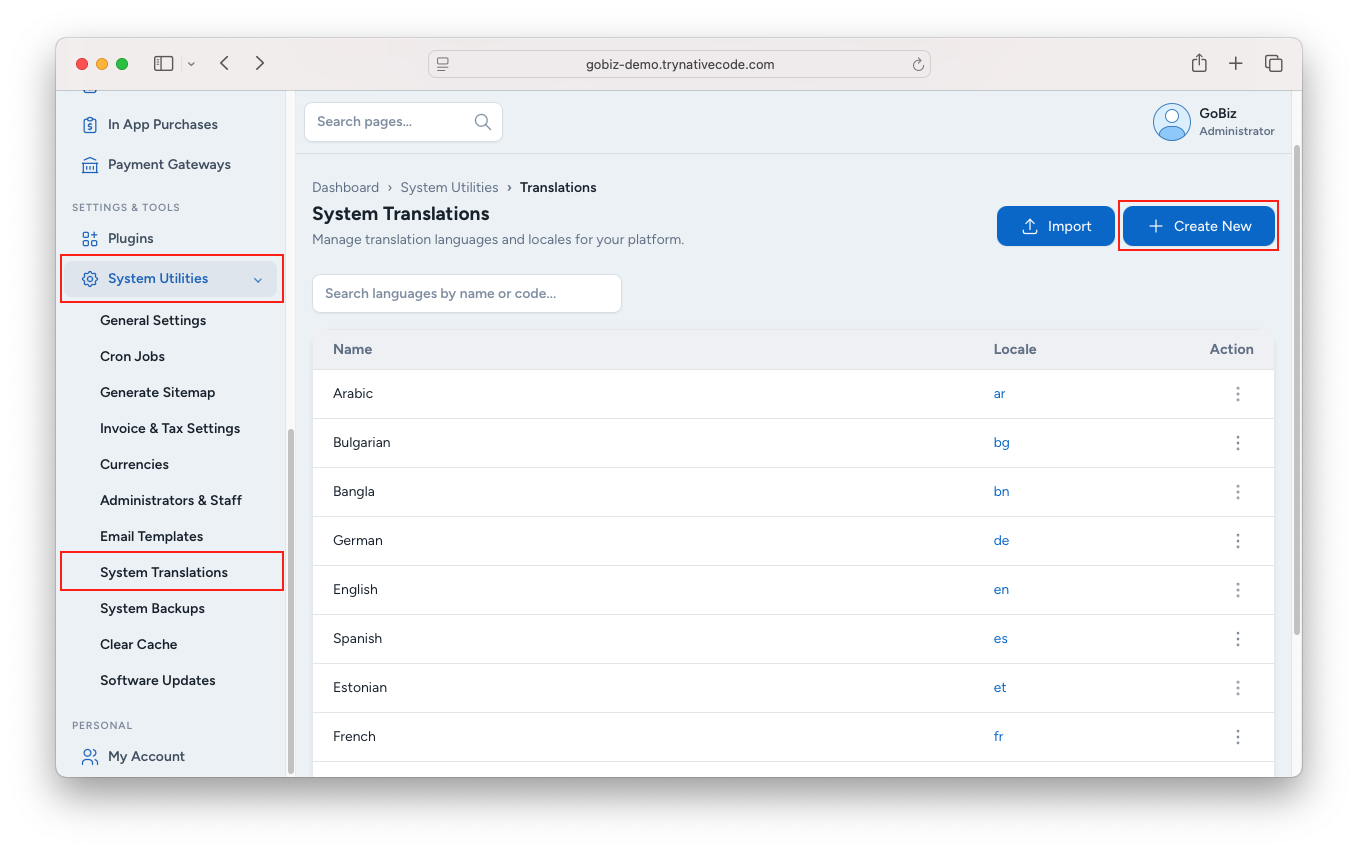
Login your GoBiz admin.
- Navigate to System Utilities → System Translations.
- Click the Create New button.
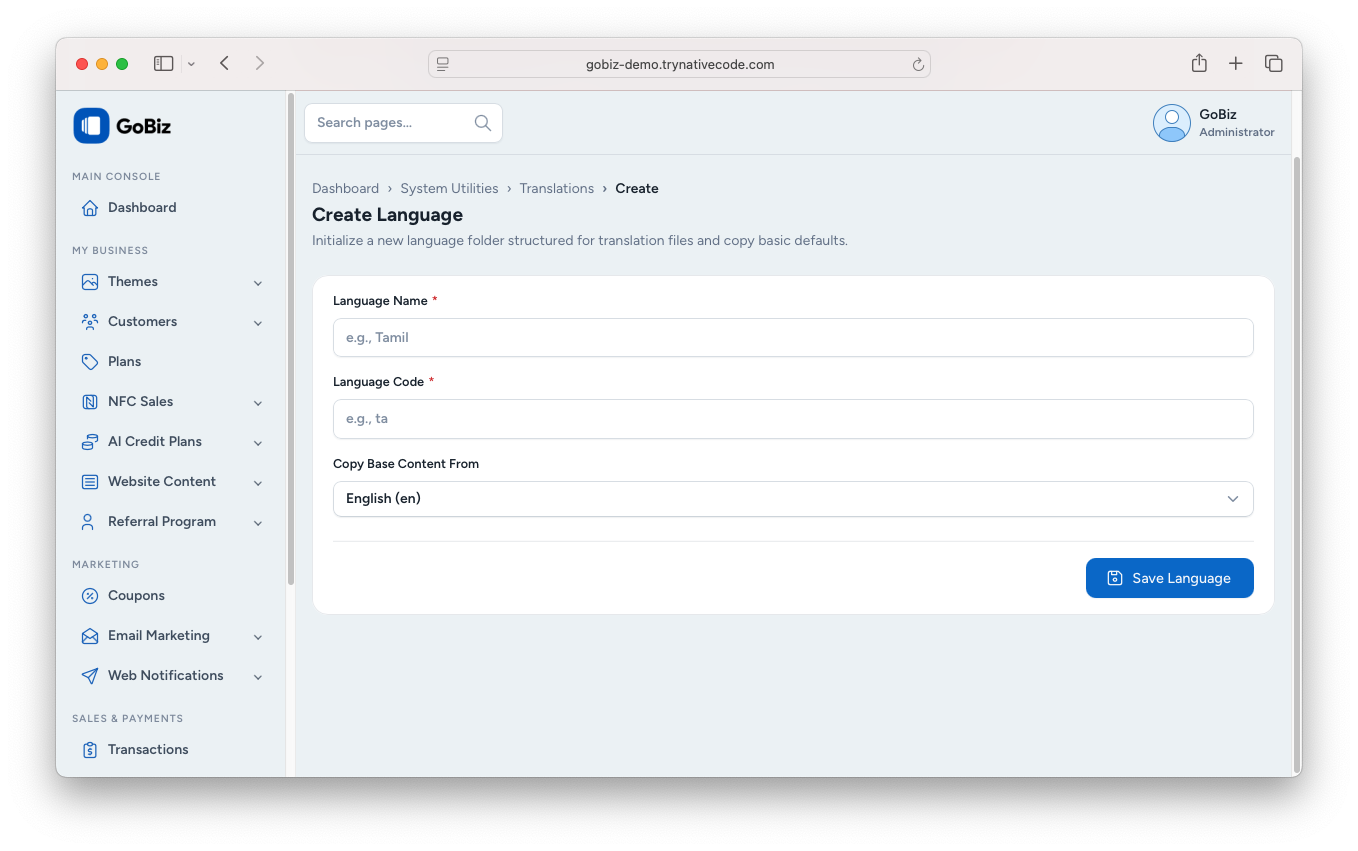
- Enter the Language Name.
- Enter the Language Code.
- Select the language to copy the base content from.
- Click Save Language.
How to edit Words
- On the System Translations page, find the language you want to edit.
- Click the ⋮ (More) menu next to the language.
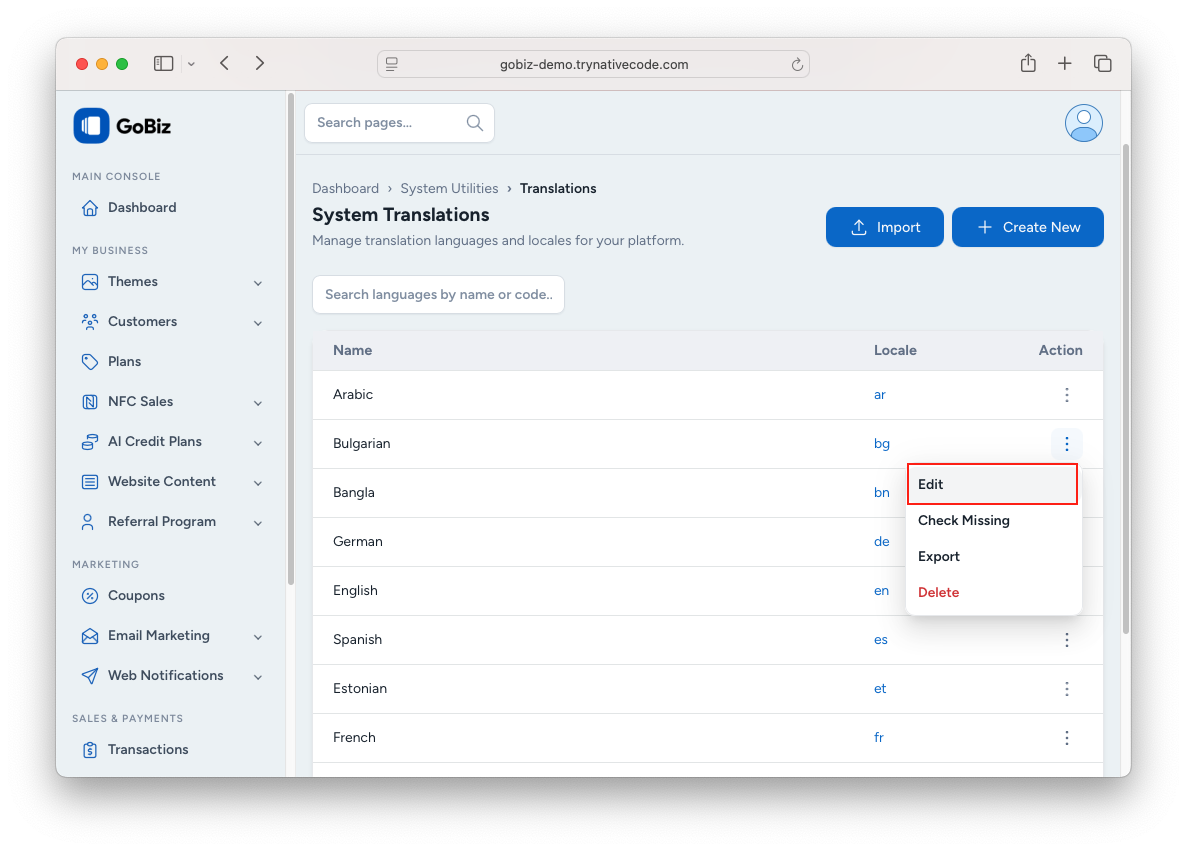
- Select Edit.
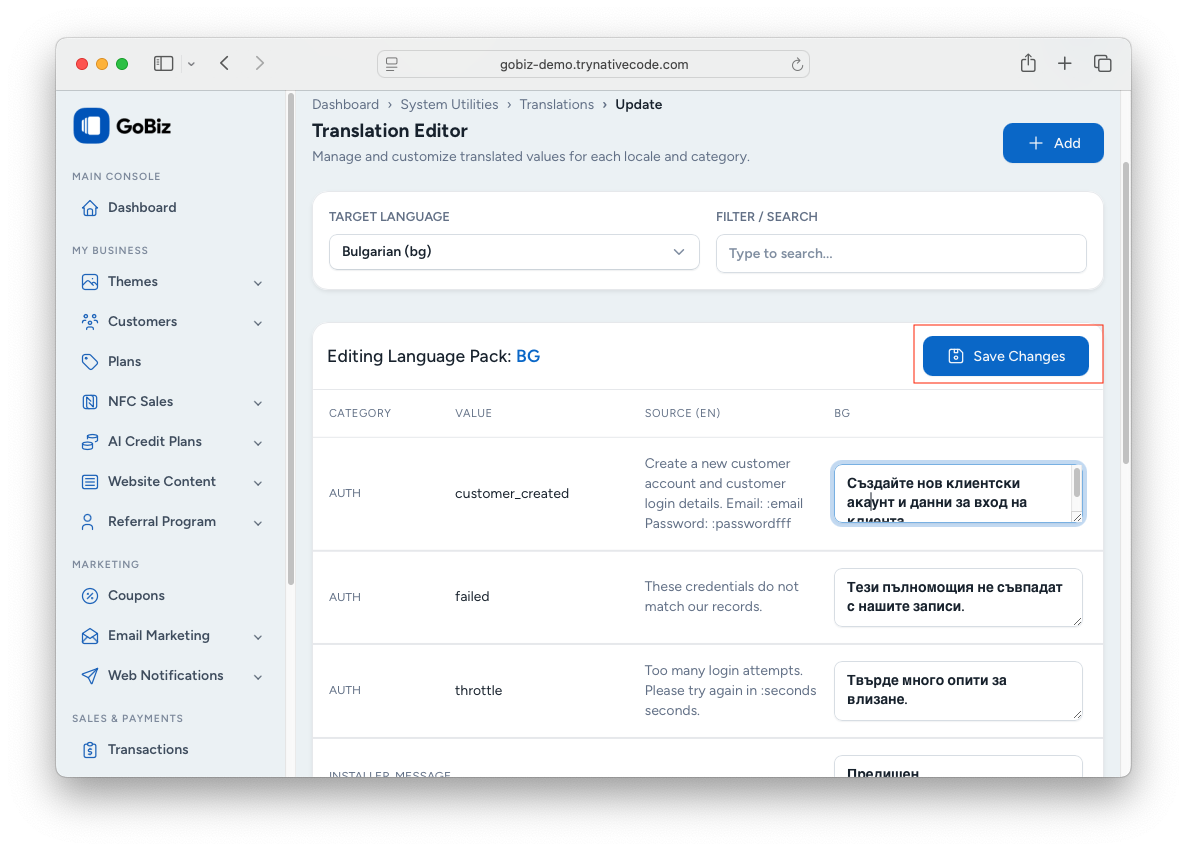
- Use the Filter / Search box to quickly find the word or phrase you want to update.
- Edit the translation in the corresponding text field.
- Repeat the process for any additional words or phrases you want to customize.
- Click Save Changes to apply your updates.