Skip to content

How to Configure Email Settings?

Last update: 05 Nov 2024

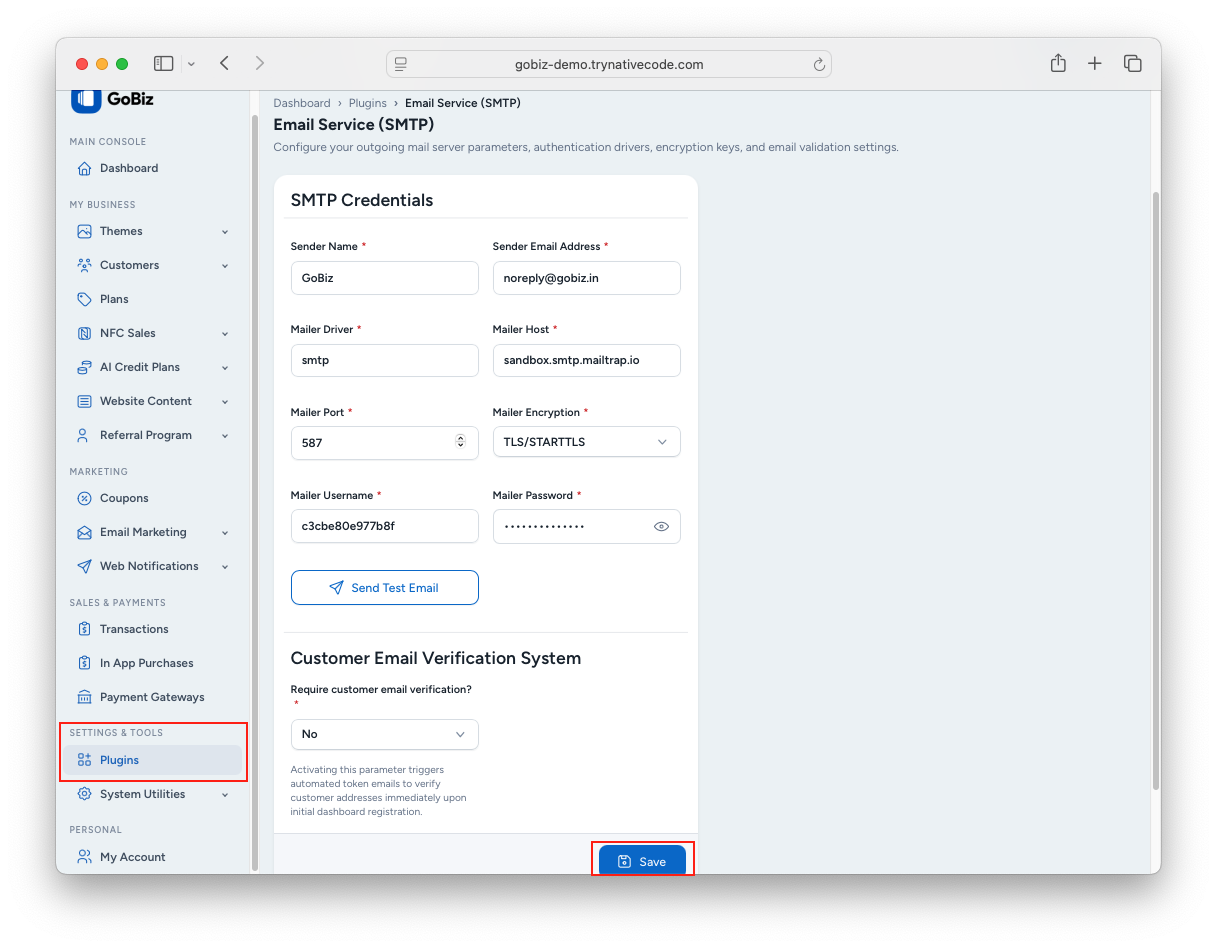
1. Configure Email Settings from the Admin Panel

Log in to your GoBiz Admin Panel and navigate to:

Plugins -> SMTP -> Email Configuration

Enter your SMTP mail configuration details, then click Update to save the changes.

Mail Configuration Screenshot

2. Configure Email Settings from the .env File (Optional)

If you prefer, you can configure the mail settings directly from the .env file.

Log in to your cPanel, open File Manager, and navigate to:

PROJECT-ROOT/.env

cPanel File Manager

Update the required SMTP mail configuration values and save the file.

.env Mail Configuration

© 2019-present NativeCode. All rights reserved.