Appearance
Twilio SMS Notification Plugin Configuration
Follow these steps to configure the Twilio Sms plugin and enable Sms notifications.
1. How to Get Account SID, Auth Token, and Twilio Number
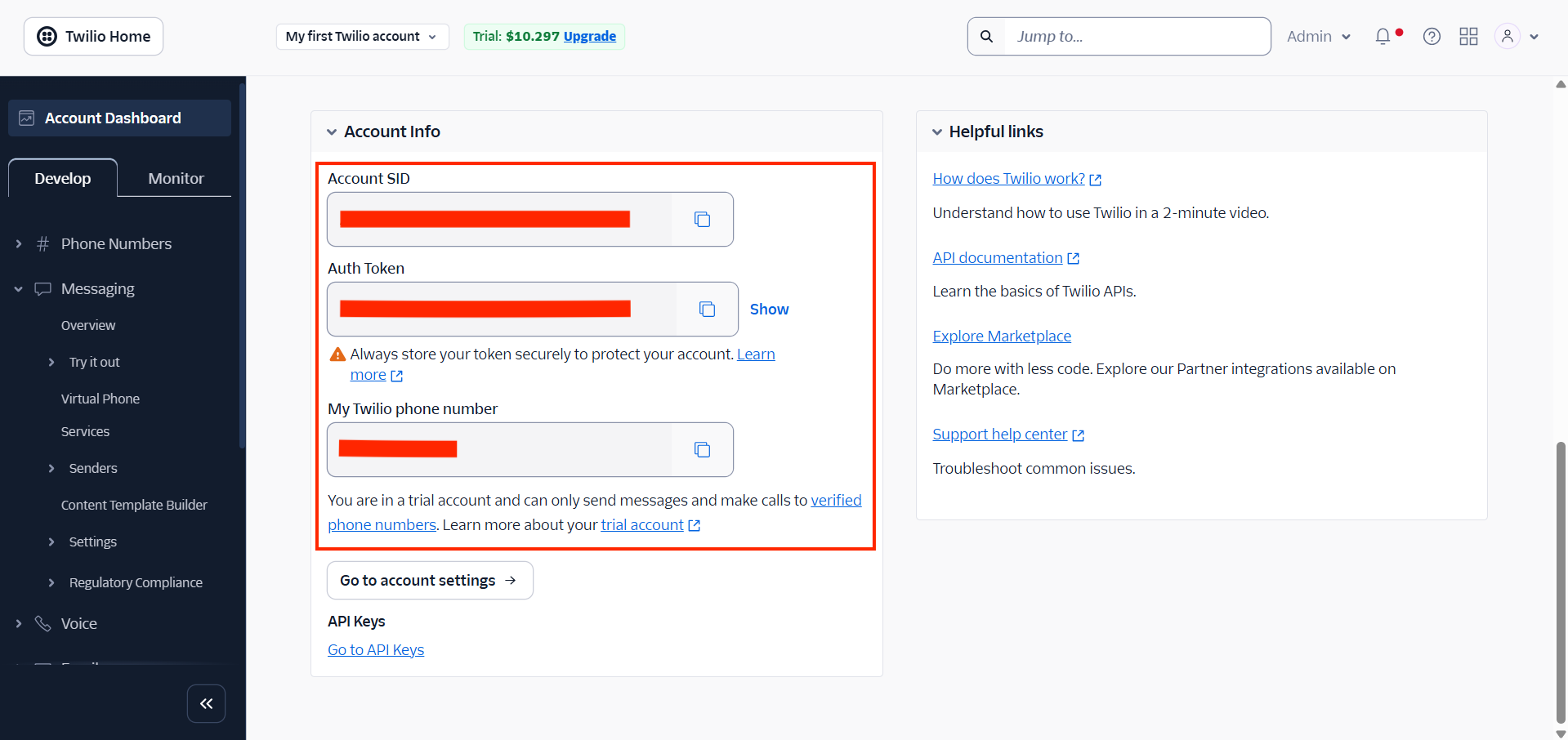
- Log in to your Twilio account.
- In the Twilio Dashboard, go to Account Info.
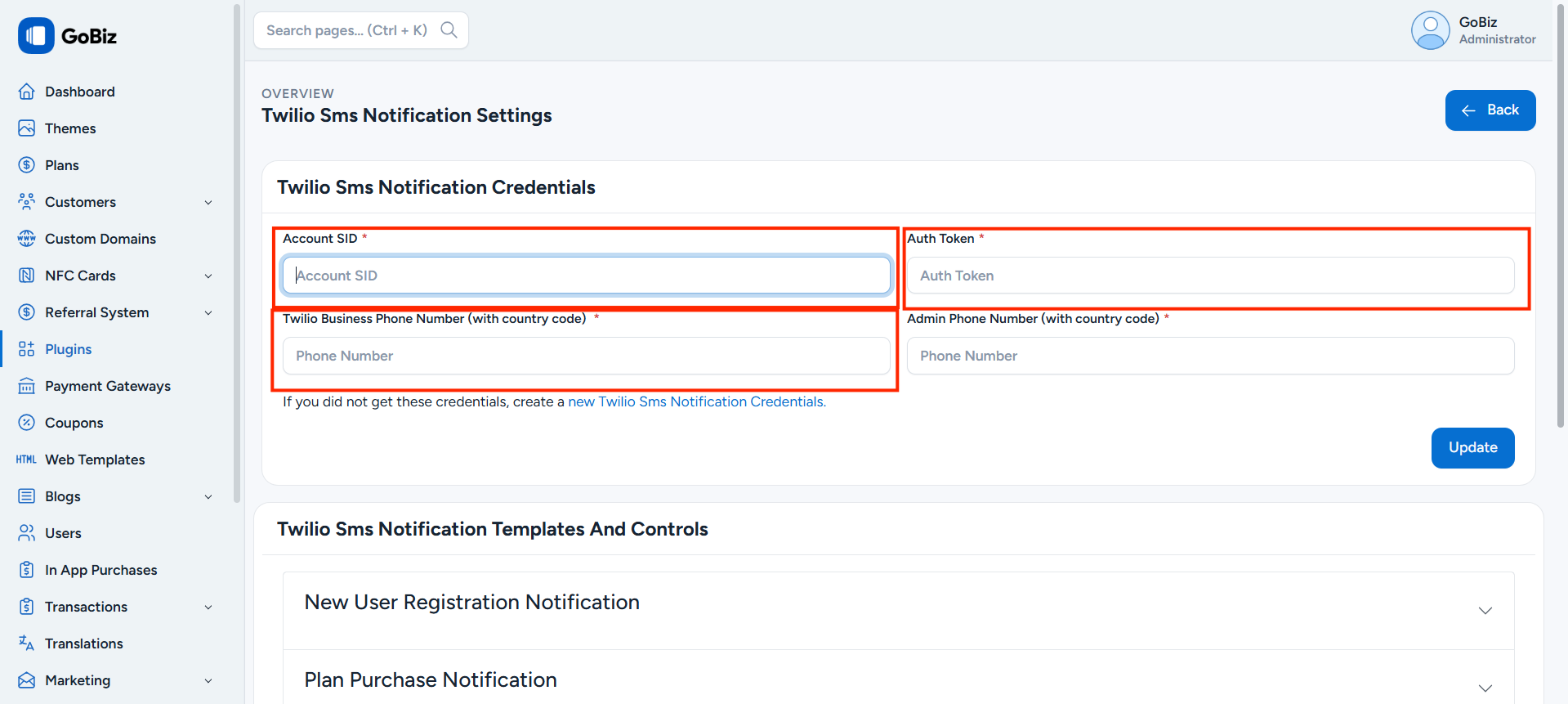
- Copy the Account SID, Auth Token, and Twilio Number.
- Paste these details into t
Plugins -> Twilio SMS Notification -> Settings.
2. How to Create a Notification Template
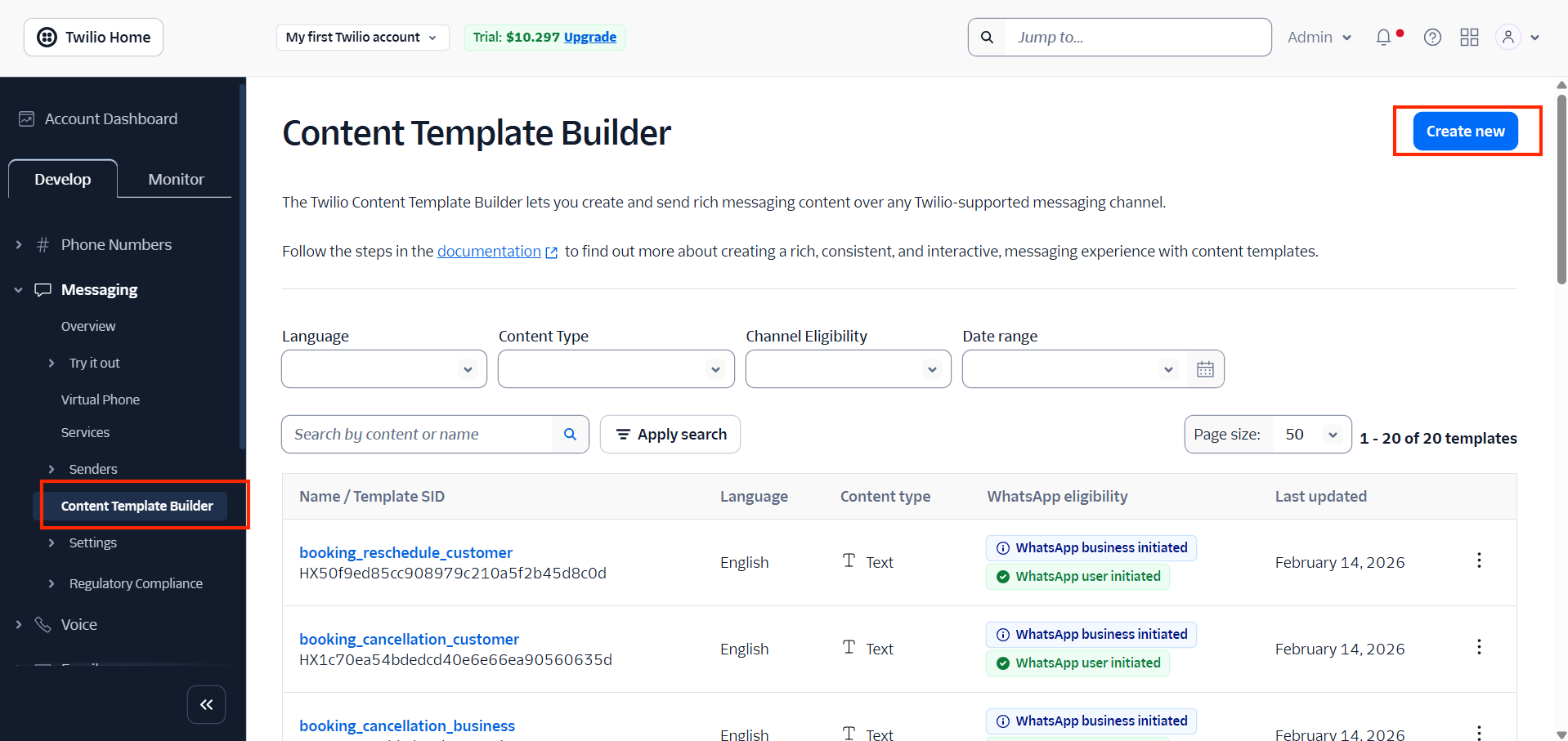
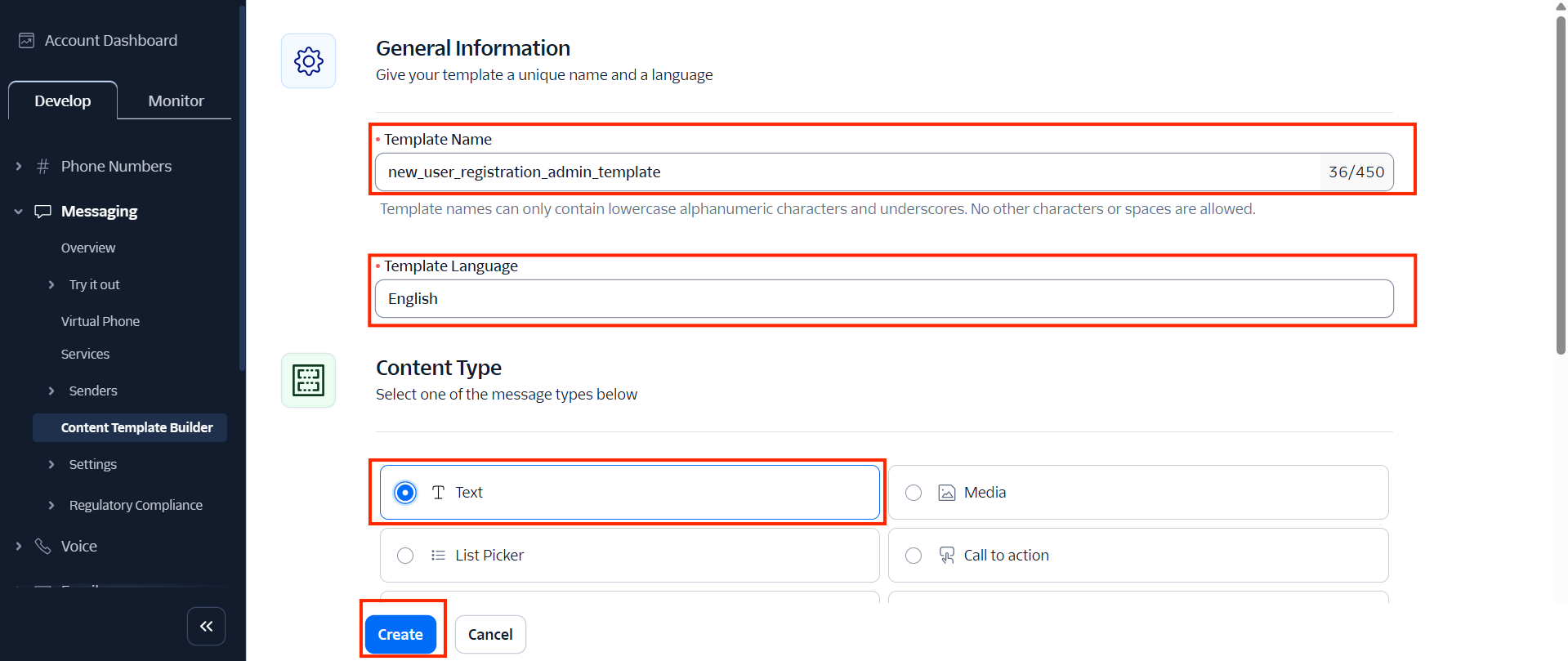
- Go to Content Template Builder.
- Click on Create New.
- Enter the Template Name.
- Choose the Language.
- Select the content type as Text.
- Click on Create.
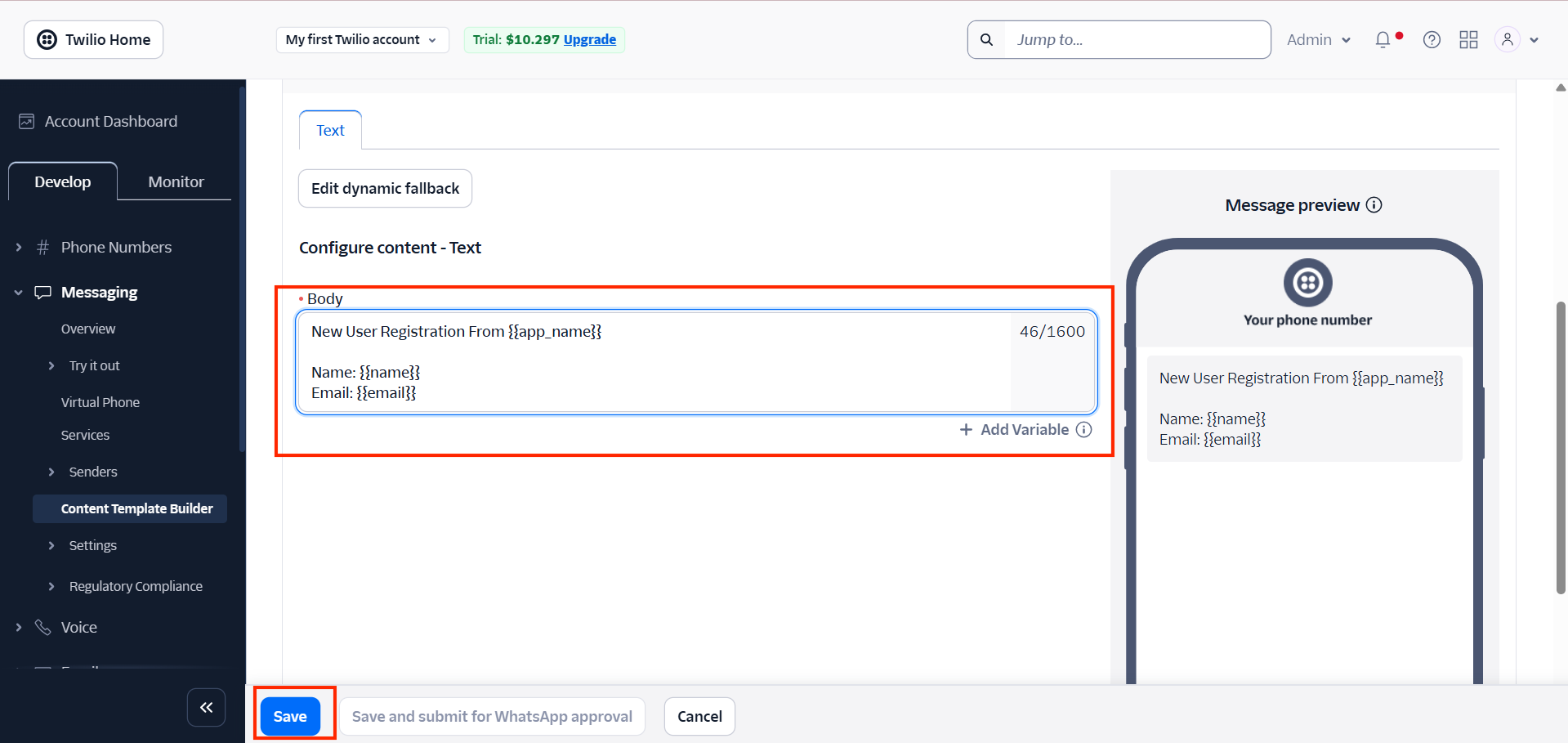
- Add the template content with variables.
- Click on Save.
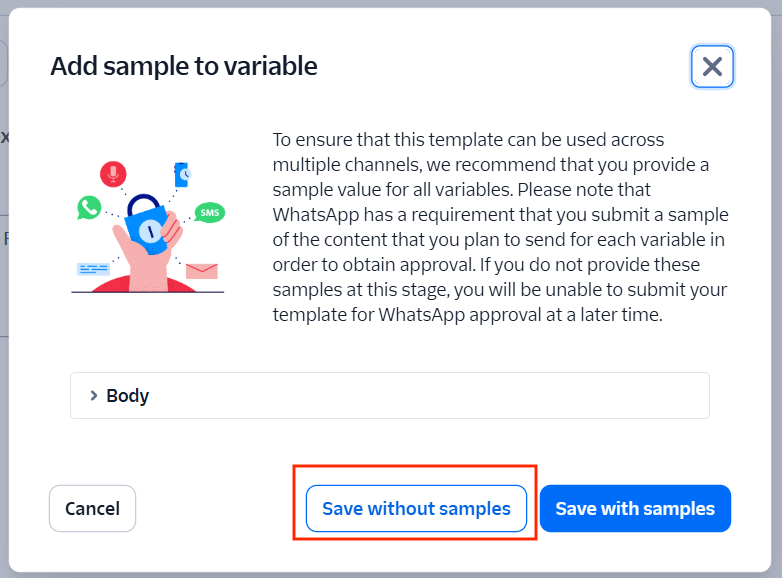
- Click Save without samples.
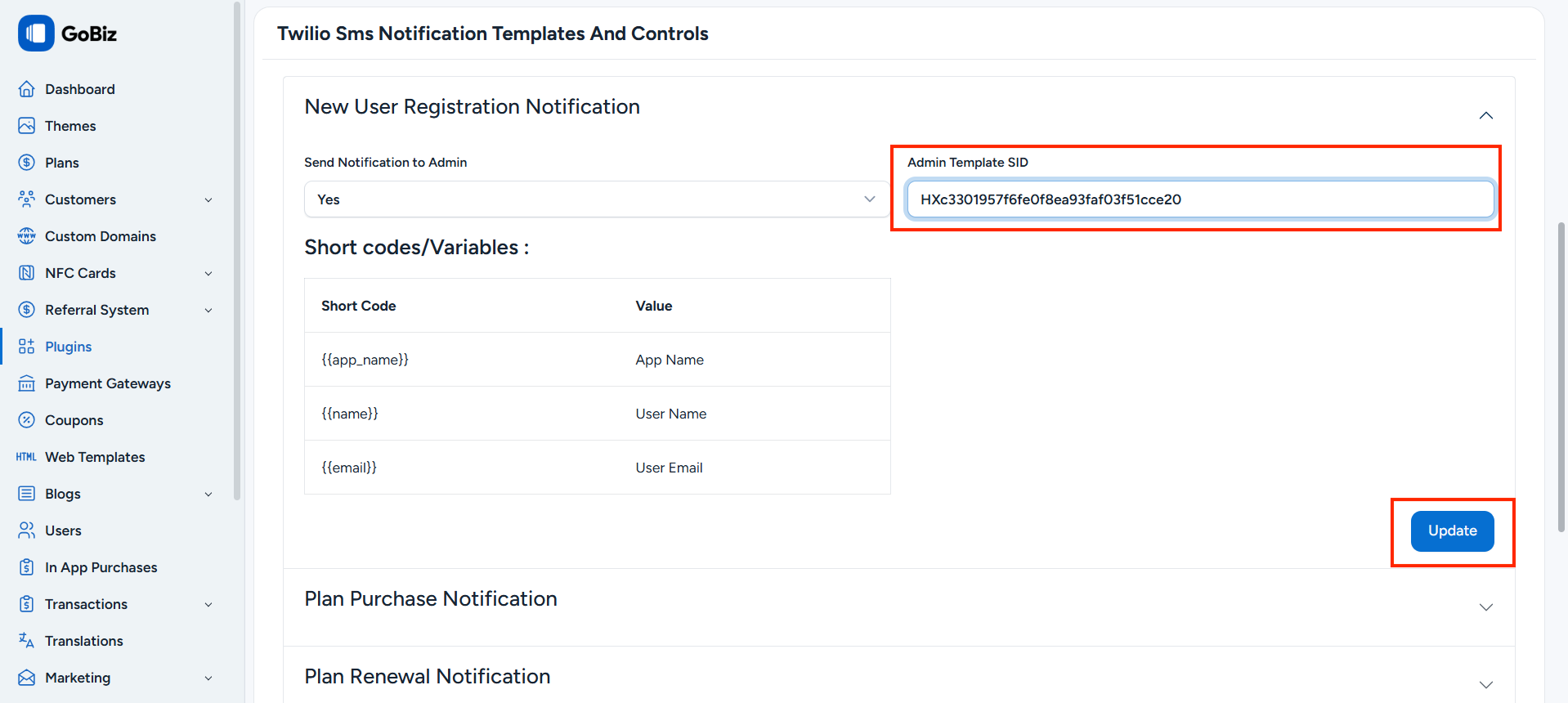
- Copy the Template SID.
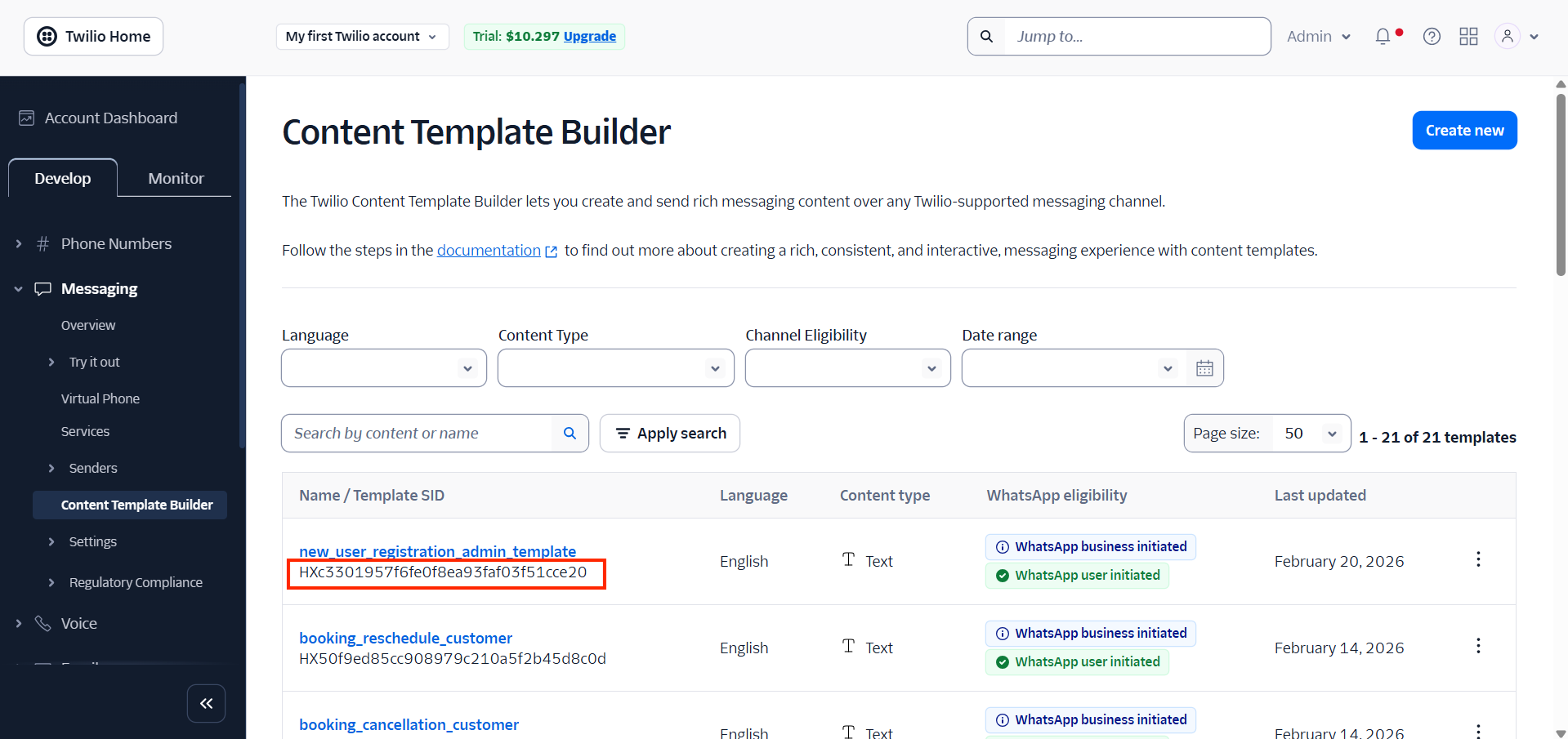
- Paste it into the
Plugins -> Twilio SMS Notification -> Settings.