Appearance
Twilio WhatsApp Notification Plugin Configuration
Follow these steps to configure the Twilio WhatsApp Notification plugin and enable WhatsApp notifications.
1. How to Get Account SID, Auth Token, and Twilio Number
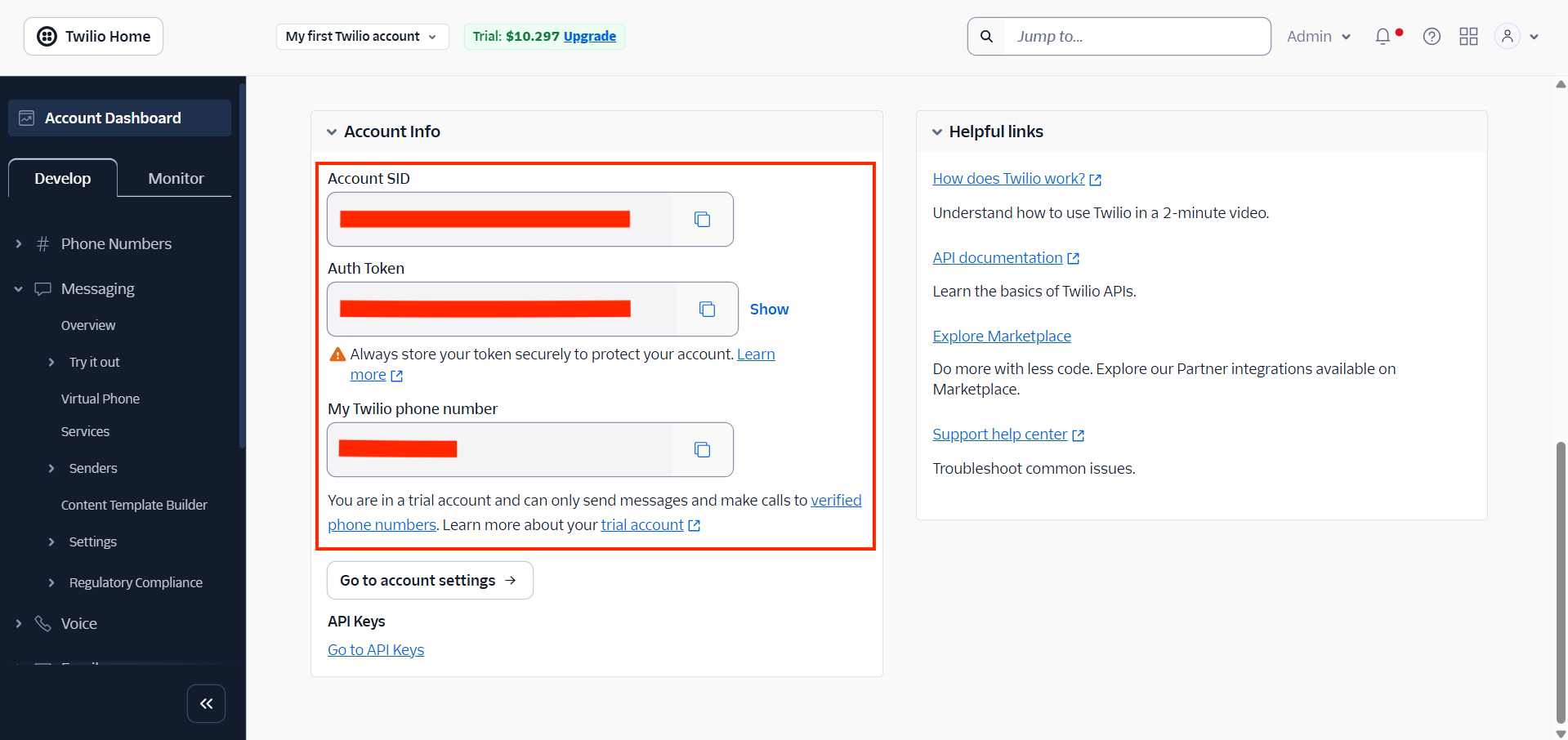
- Log in to your Twilio account.
- In the Twilio Dashboard, go to Account Info.
- Copy the Account SID, Auth Token, and Twilio Number.
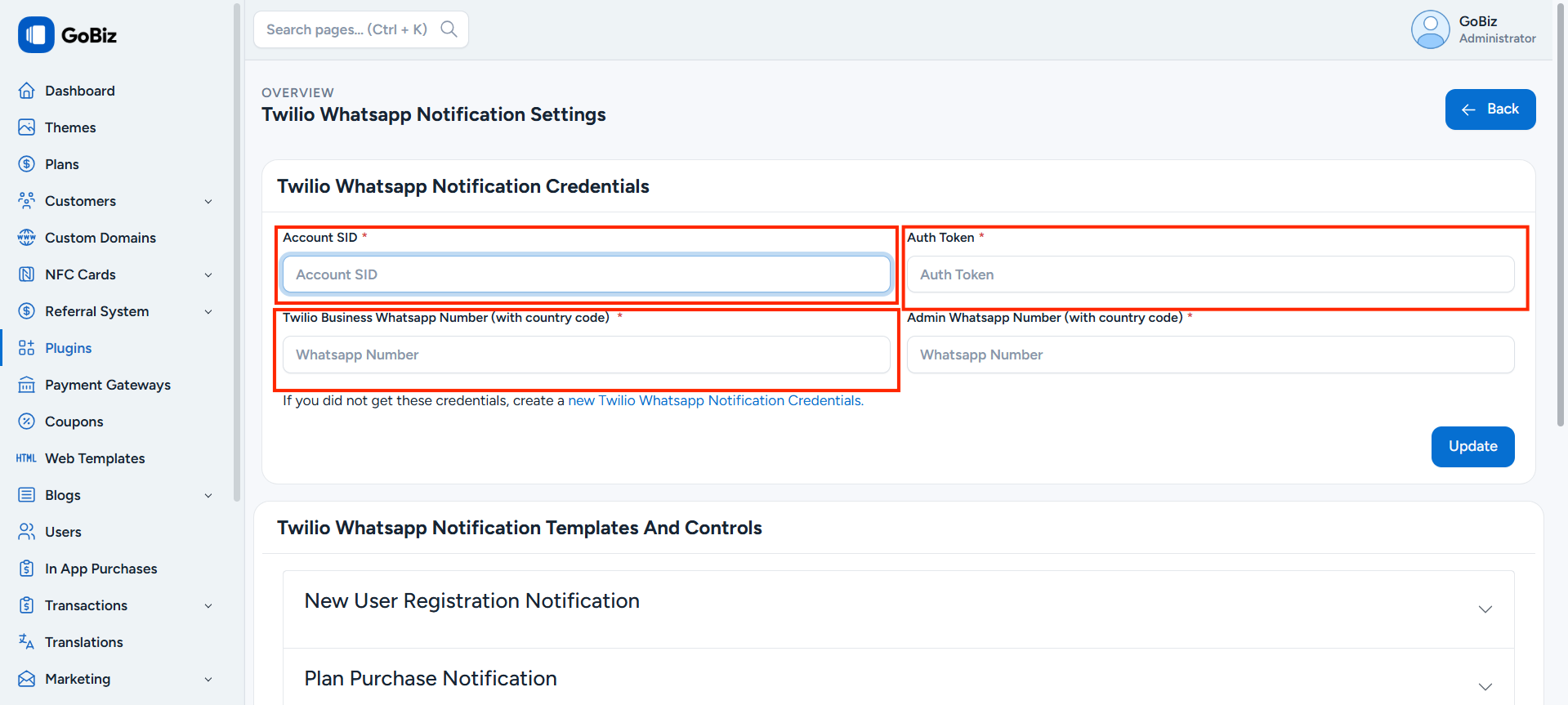
- Paste these details into the
Plugins -> Twilio WhatsApp Notification -> Settings.
2. How to Create a Notification Template
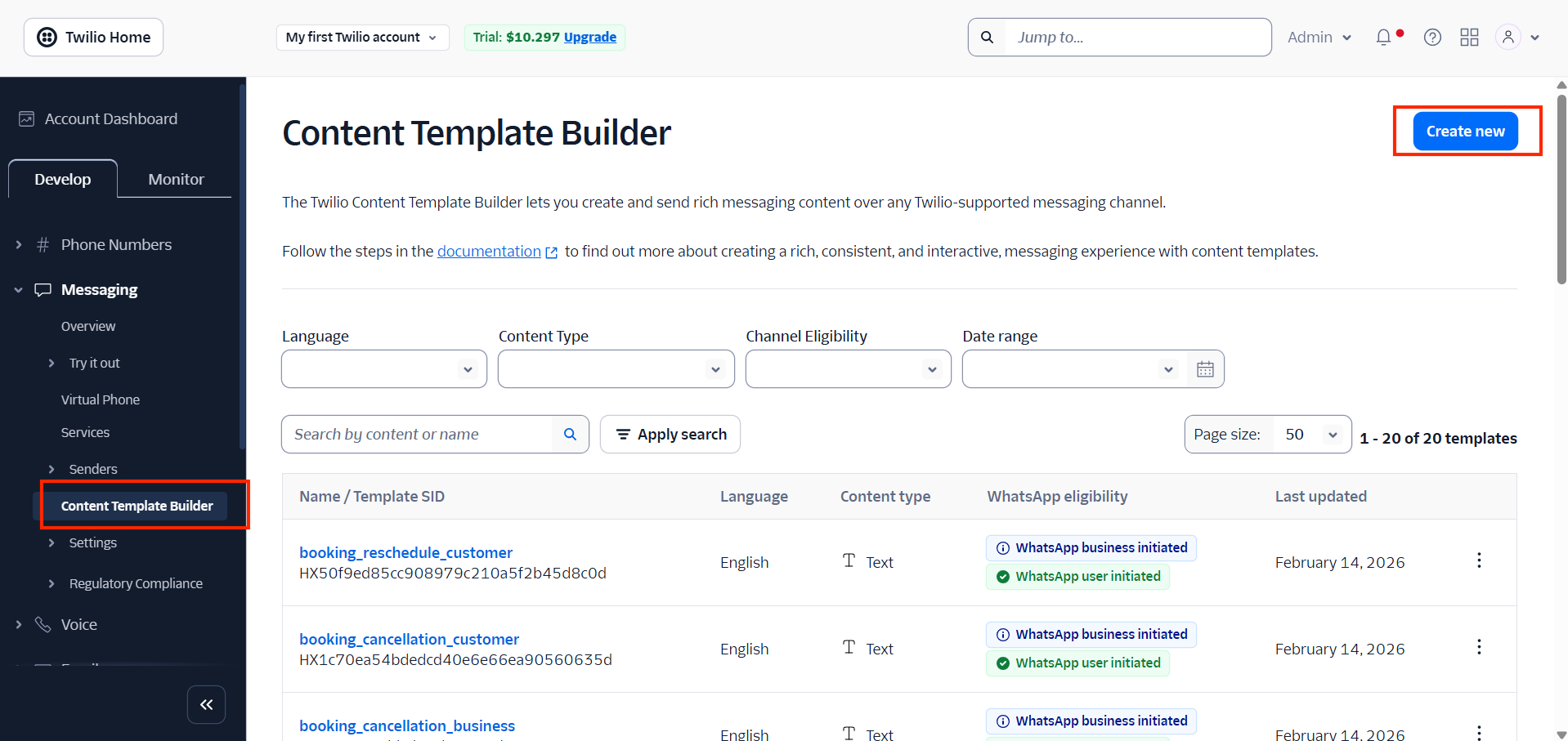
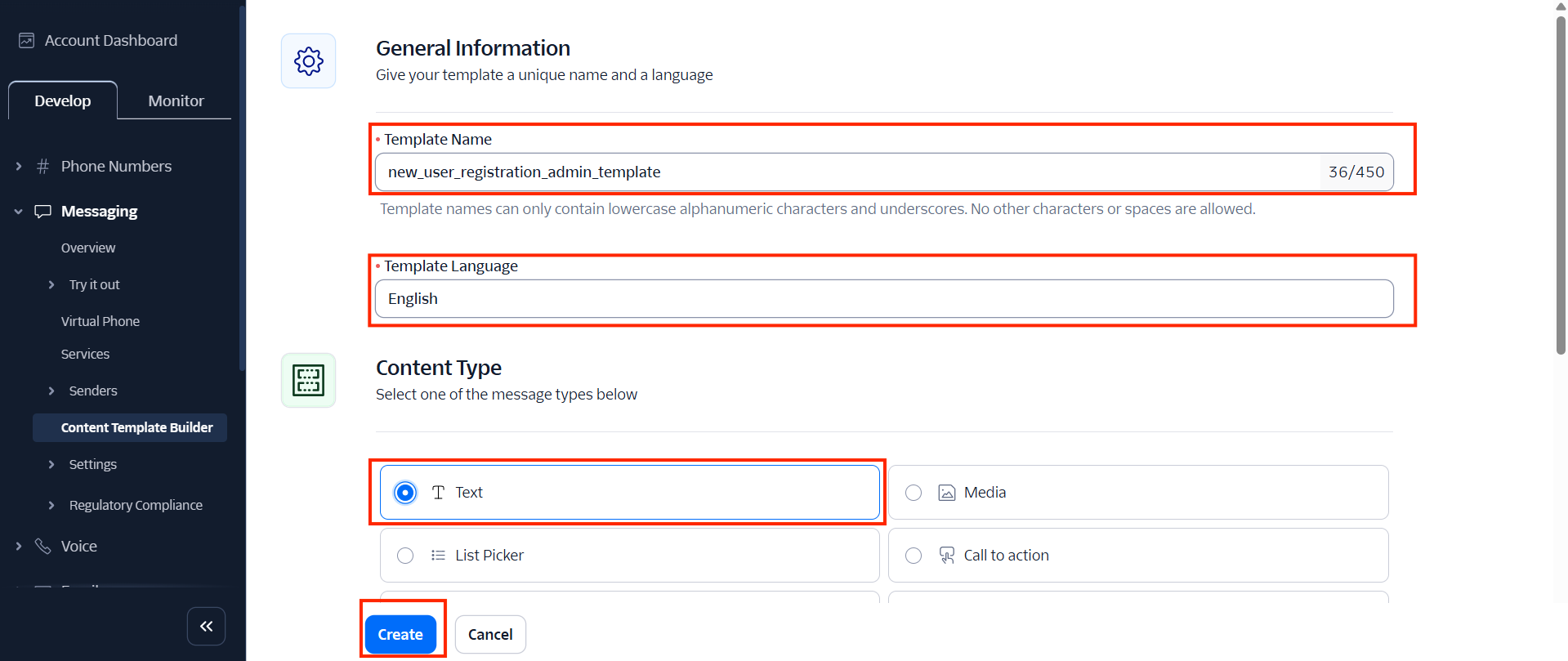
- Go to Content Template Builder.
- Click on Create New.
- Enter the Template Name.
- Choose the Language.
- Select the content type as Text.
- Click on Create.
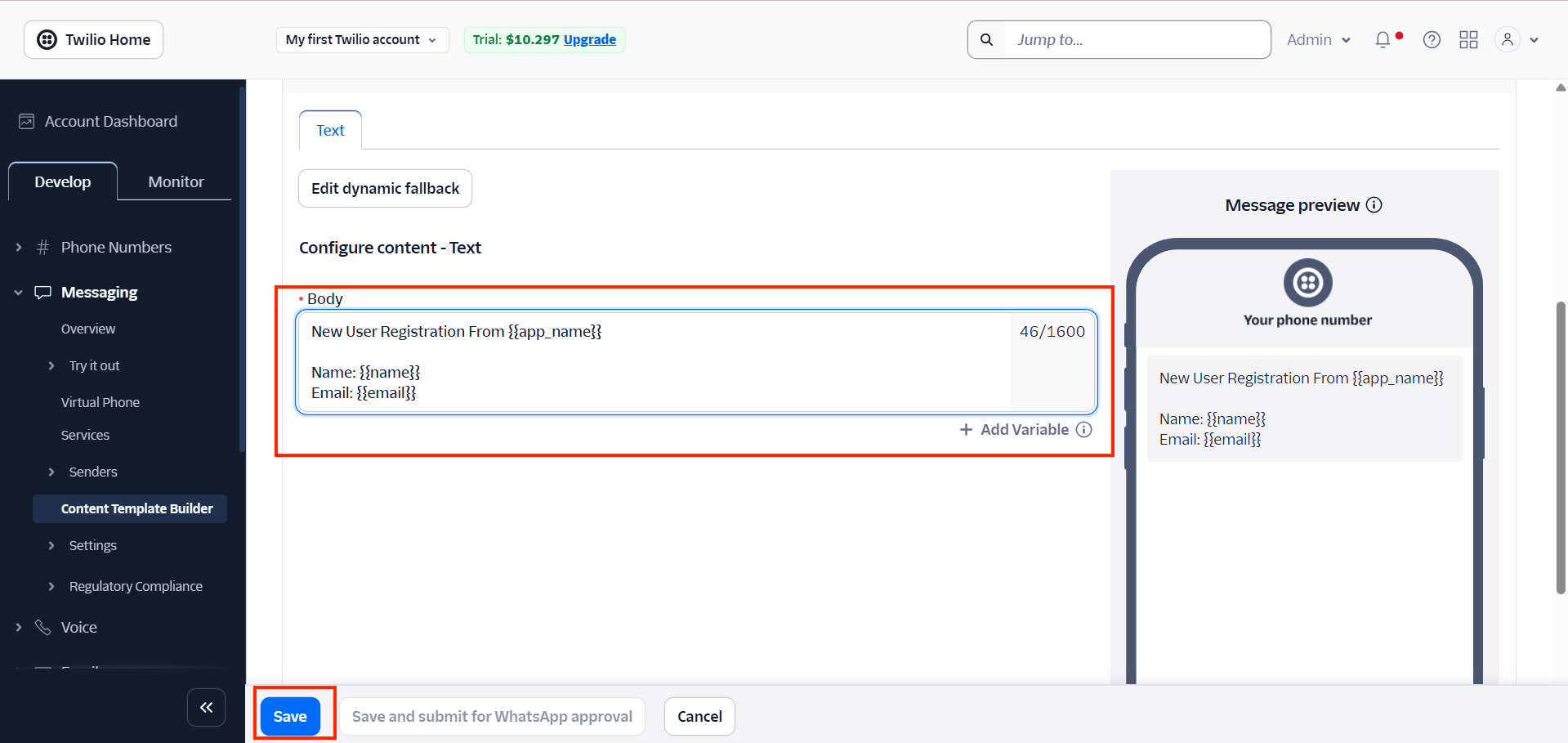
- Add the template content with variables.
- Click on Save.
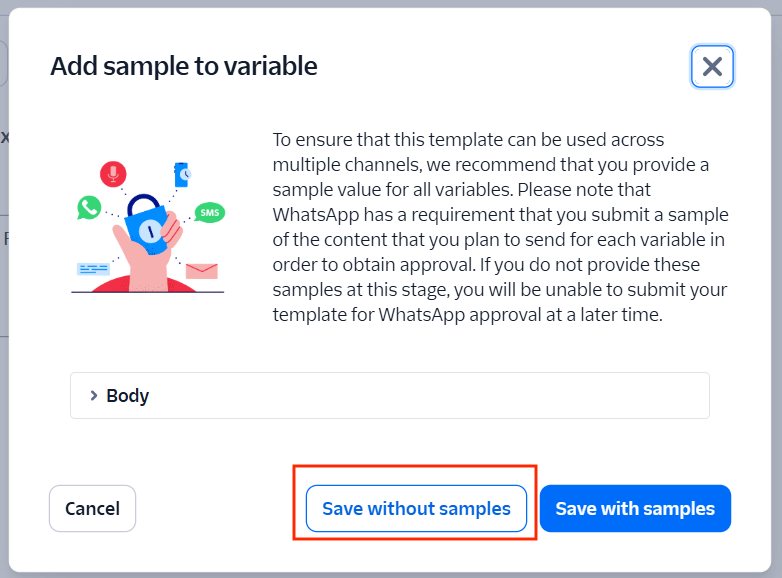
- Click Save without samples.
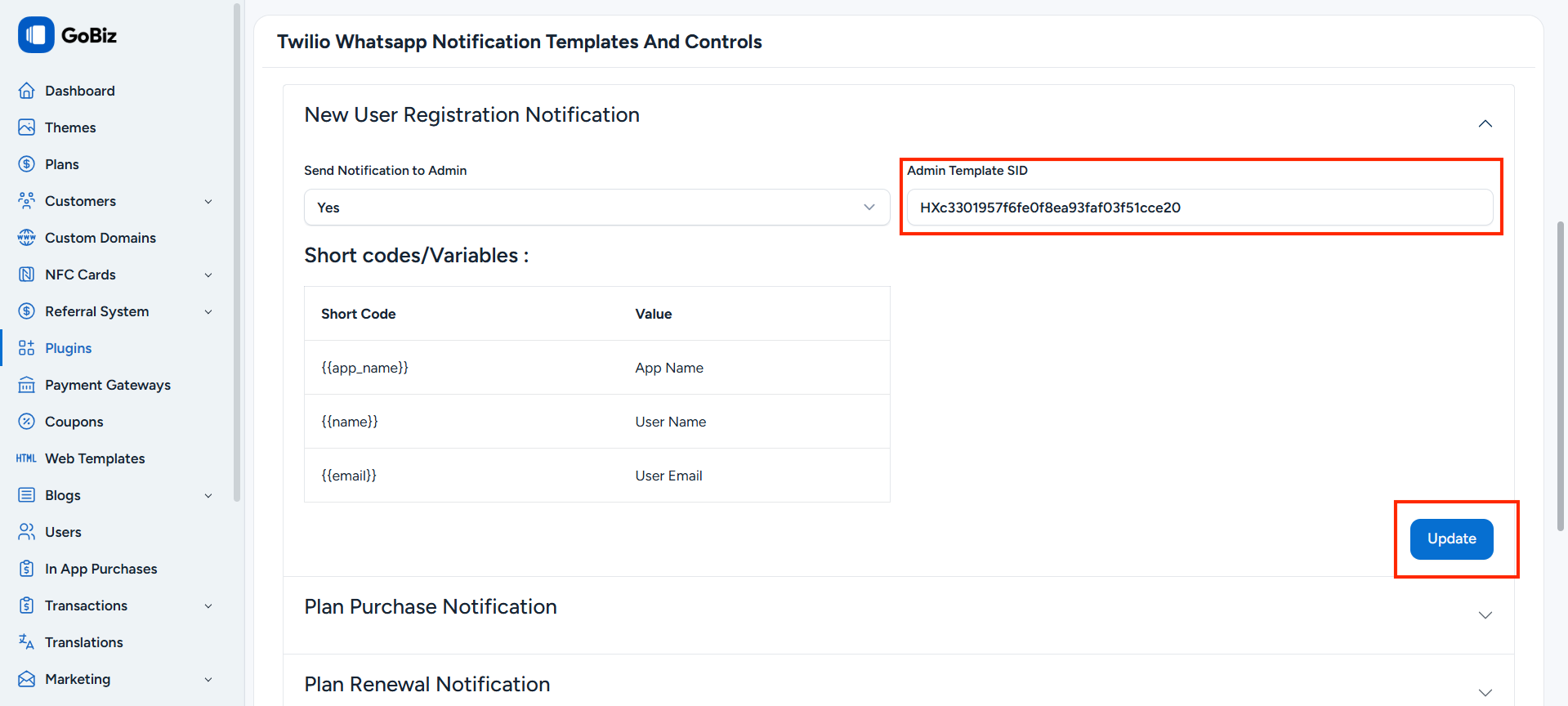
- Copy the Template SID.
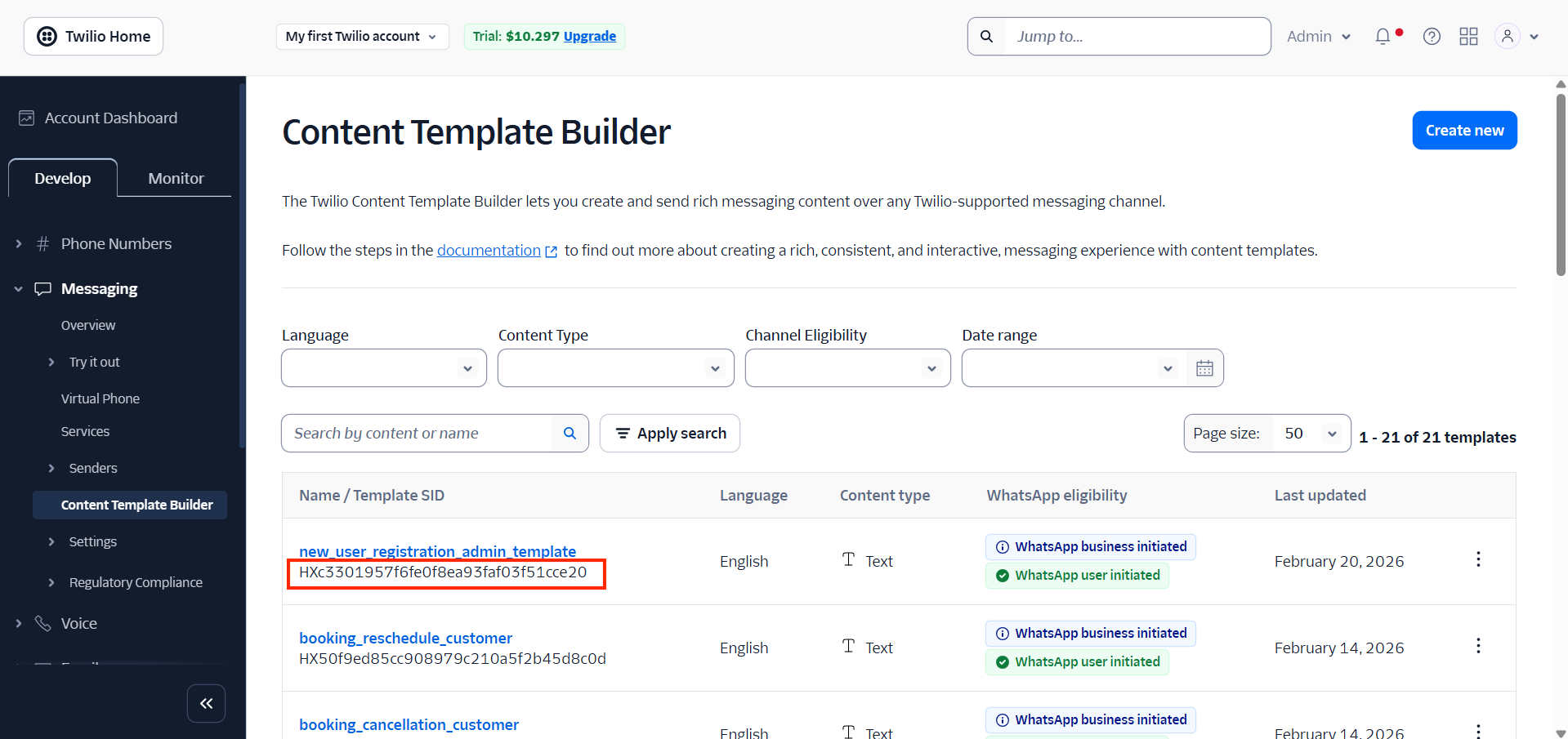
- Paste it into the
Plugins -> Twilio WhatsApp Notification -> Settingsof your admin panel.