
Appearance
Database Setup
Before installing GoBiz, create a MySQL database and database user from your hosting control panel.
- Log in to your cPanel.
- Open MySQL Databases.
- Create a new database.
- Create a new database user with a strong password.
- Assign the user to the database and grant All Privileges.
- Save the database name, username, and password in a secure location, as you will need them during the installation process.
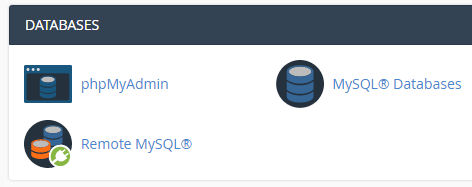
cPanel MySQL Databases
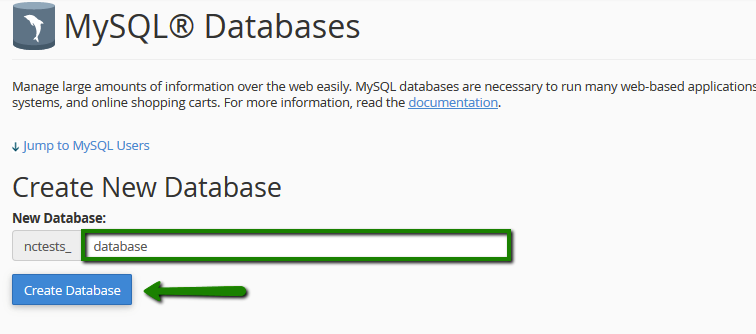
Create a New Database
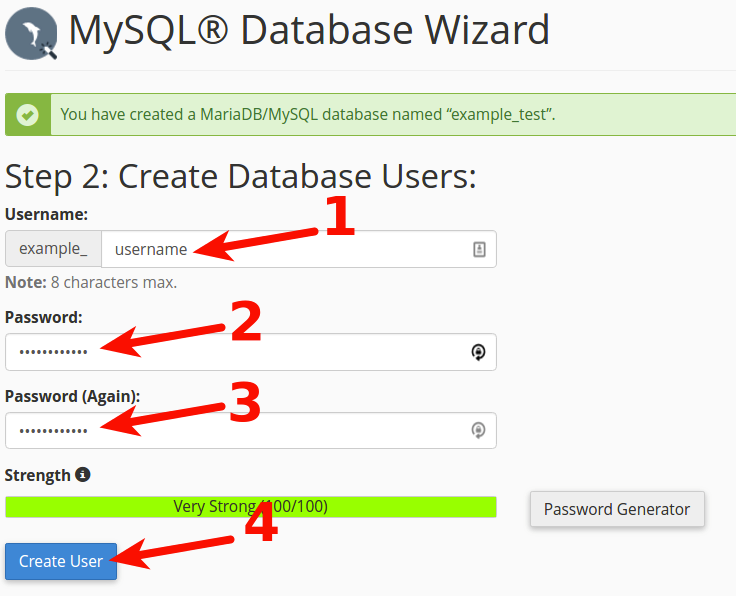
Create a New Database User
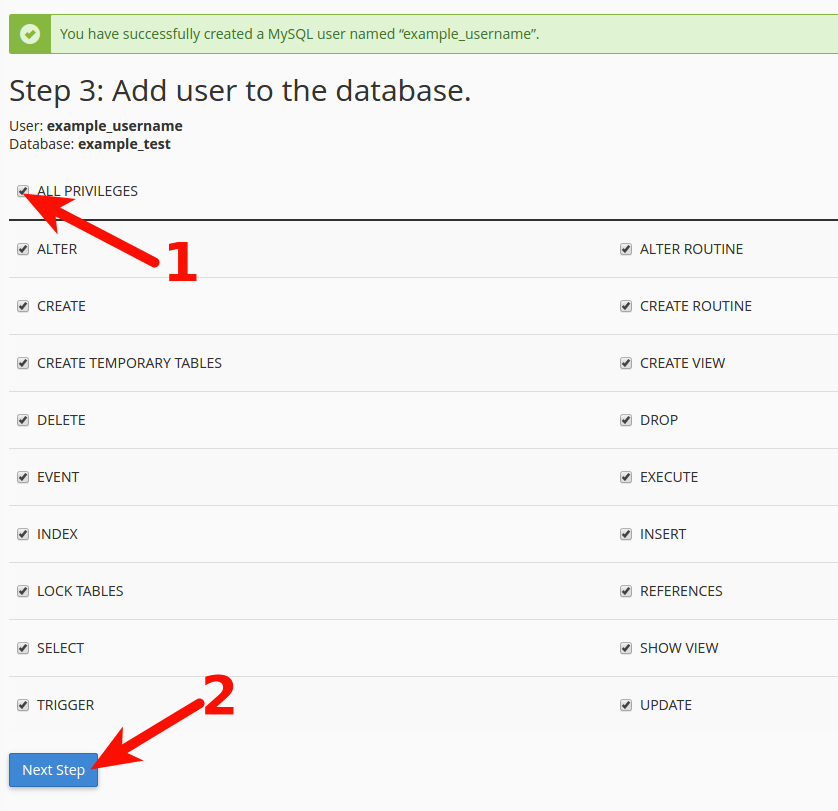
Assign the User to the Database and Grant All Privileges