
Appearance
How to Configure Currencies
Last update: 12 Aug 2026
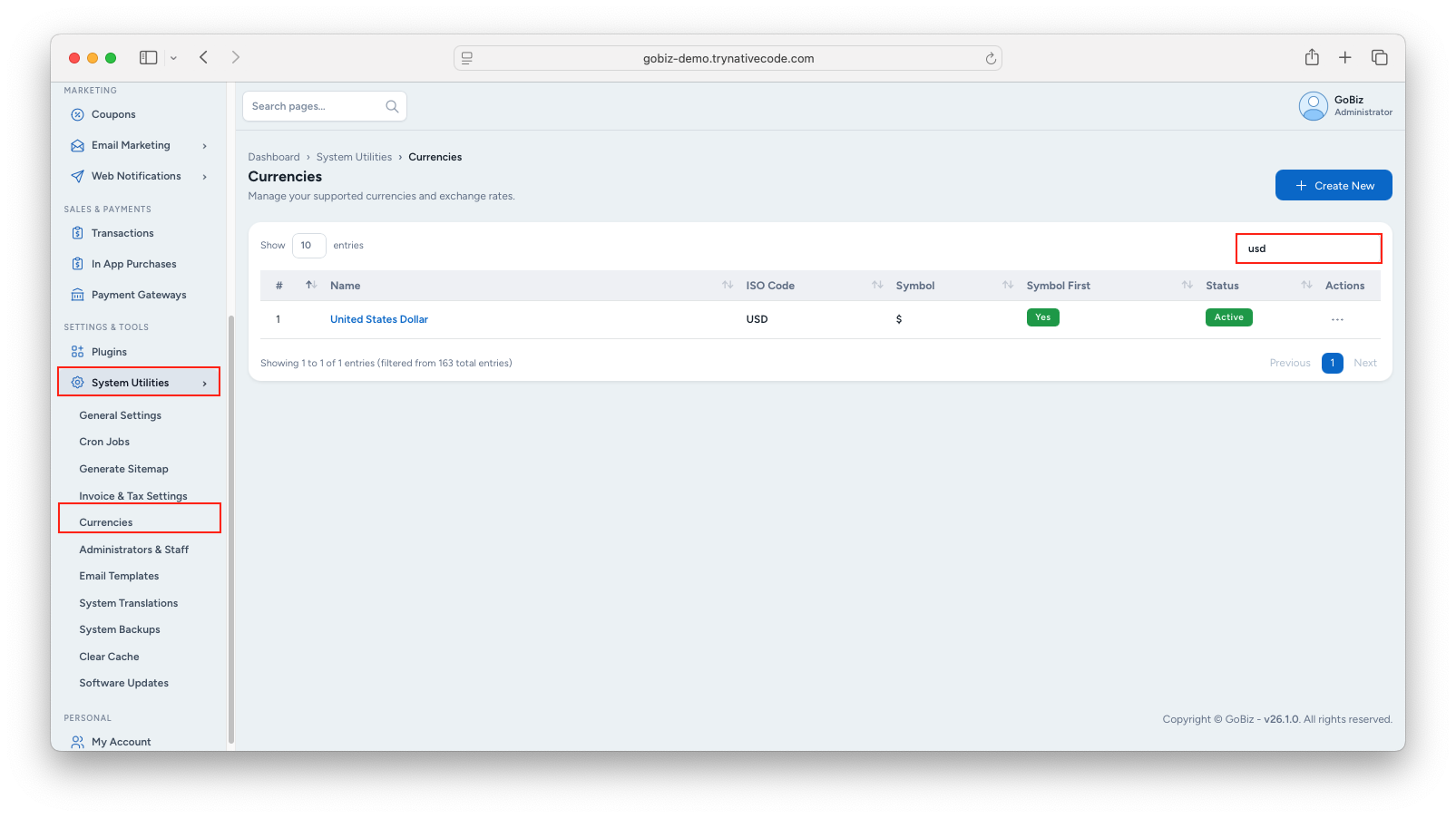
1. Open GoBiz Admin Panel
Go to System Utilities -> Currencies and enter the required Currency Code in the Search Bar.
2. Edit the Currency
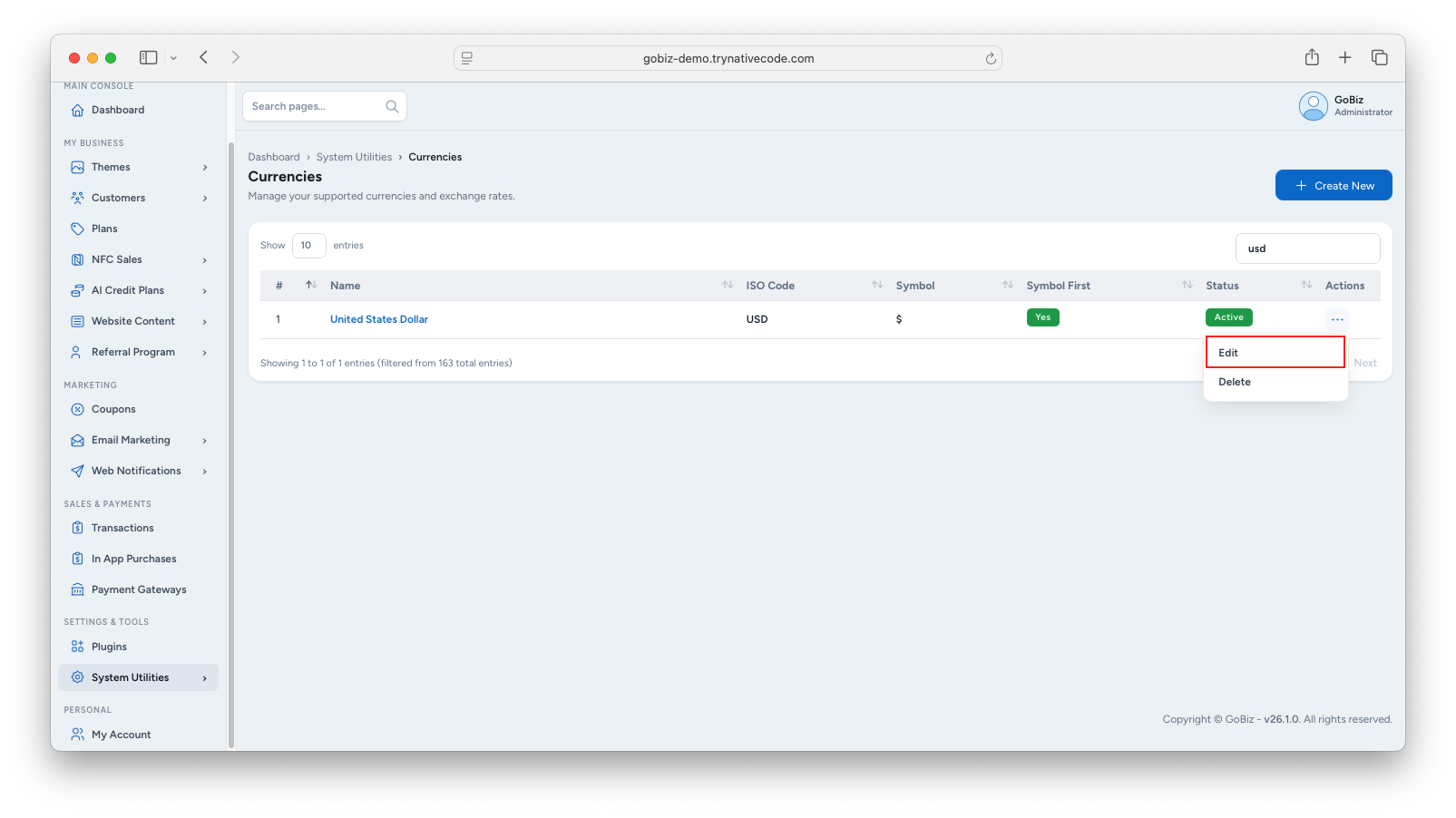
Find the required currency and click Action → Edit.
3. Update Currency Details
Update the required fields:
- Priority
- Currency Name
- ISO Code
- Symbol
- Subunit
- Subunit to unit
- Symbol First
- Html Entity
- Decimal Mark
- Thousand Separator
- iso numberic
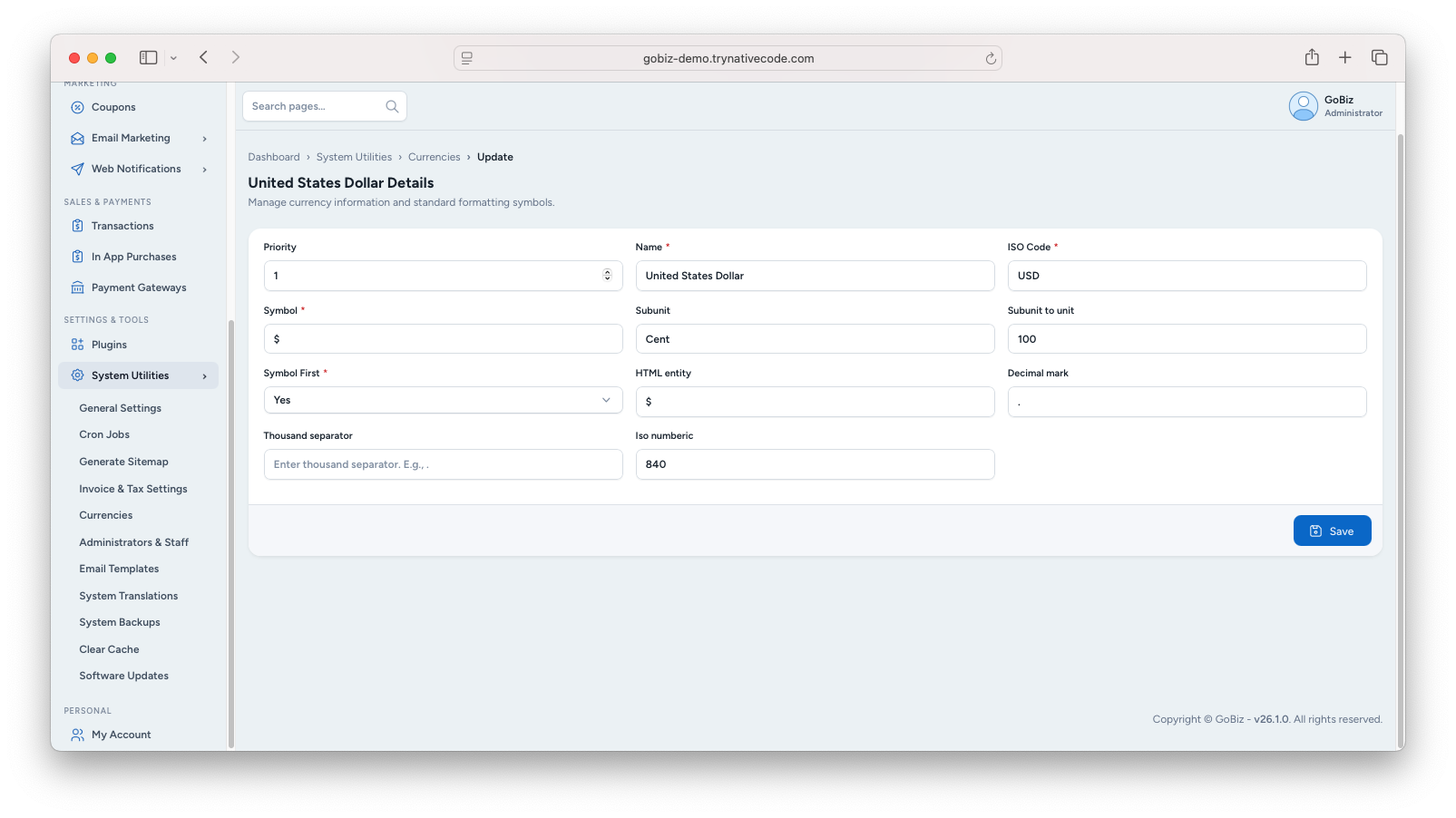
Click Save to apply the changes.